Disclosure: this post may contain affiliate links; AditsBlogs may earn a commission at no extra cost to you.
- Quick verdict
- What Wondershare Filmora is
- Features that matter to a creator workflow
- Who may find it useful
- Bloggers and tutorial creators
- Musicians and podcasters
- Small businesses and freelancers
- Important limitation: check the free version
- Filmora product images
- Questions to ask before buying
- How I would test it
- Wondershare Filmora versus a specialist editor
- Final take
- Sources
Affiliate disclosure: AditsBlogs may earn a commission if you purchase or sign up through a link in this guide, at no extra cost to you. Product details, prices, offers, eligibility and attribution rules can change. Check the current vendor page and checkout terms before buying. This guide does not guarantee any sale, engagement or result.
If you create music videos, podcast clips, tutorials or social posts, the editing tool you choose affects the entire path from raw footage to export. This source-based Wondershare Filmora review looks at the workflow, the official feature set, the free-version limitation and the questions worth answering before you pay.
Quick verdict
Filmora is worth considering when you want a creator-focused desktop editor with a familiar timeline workflow and a broad set of editing, caption, audio and AI-assisted tools. It is a weaker fit if you need a highly specialised professional post-production environment, want every advanced feature included in the lowest-cost plan, or are deciding without checking the current regional offer.
What Wondershare Filmora is
Wondershare describes Filmora as an AI-powered video editor for creators. Its official feature pages list timeline editing, captions, audio tools, recording, creative assets and AI-assisted creation. The exact tools and limits depend on the current version, plan and platform, so use the vendor page as the final source for what is included.
Features that matter to a creator workflow
- Timeline editing: a conventional timeline helps you organise clips, music, voiceover and b-roll in one project.
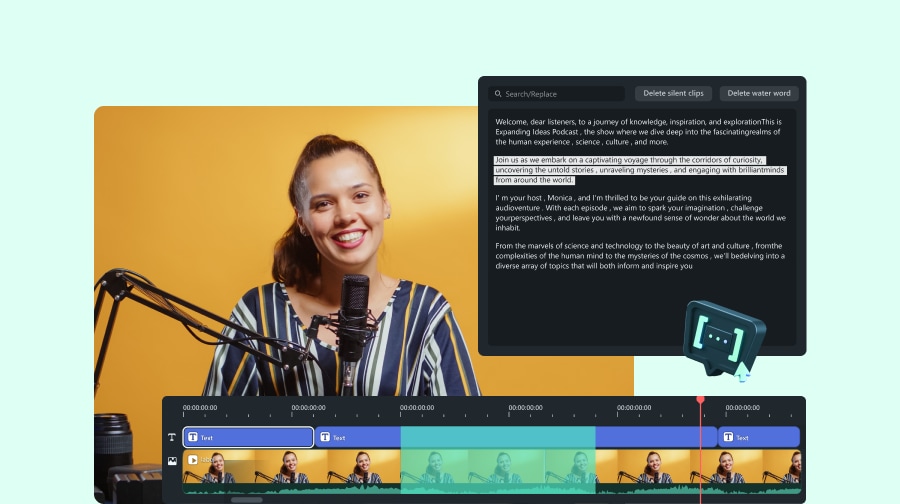
- Speech-to-text and captions: the official feature pages describe transcription and caption workflows that can help with tutorials, interviews and short-form videos. Review the language, export and usage limits for your project.
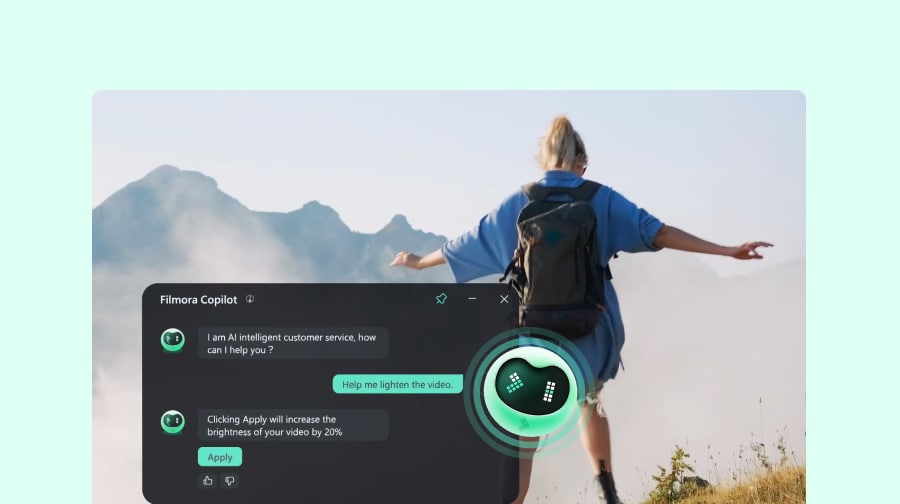
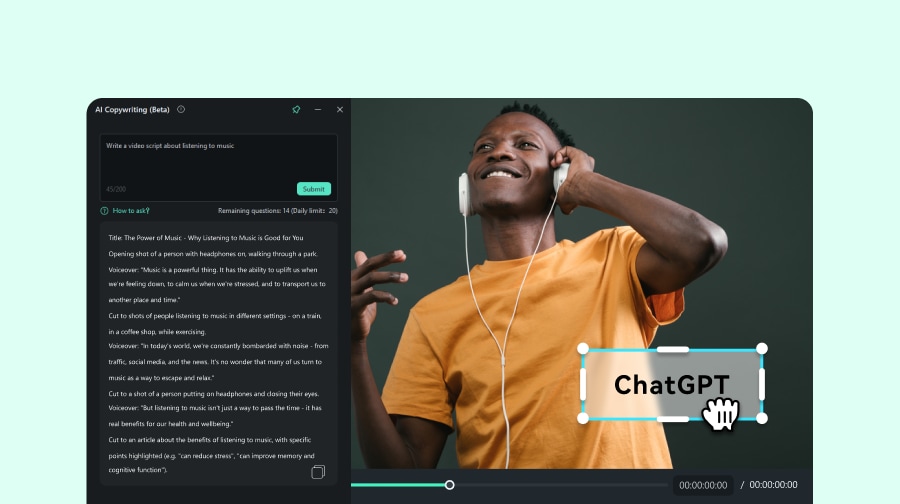
- AI-assisted creation: Wondershare lists tools such as text-based editing, smart cutout, media analysis, thumbnail creation and text-to-video. Treat these as workflow aids, not a promise of a finished result without review.
- Audio tools: Filmora’s official pages include audio-focused features such as denoise, voice enhancement, music generation and vocal removal. Check the rights and usage terms for any generated or supplied asset before publishing.
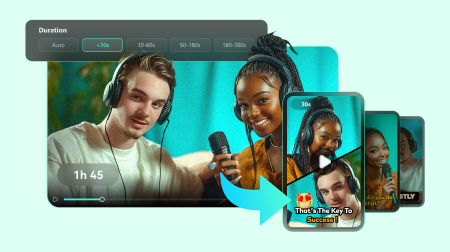
- Format adaptation: the product page highlights re-framing and multi-version delivery for different destinations. This is useful when one project needs landscape, square and vertical exports.
Who may find it useful
Bloggers and tutorial creators
Filmora can be a practical option when you need screen recordings, voiceover, captions and a quick edit for a blog tutorial or course promotion.
Musicians and podcasters
A timeline editor with audio tools can help you turn a song, podcast or interview into a visual clip. You still need to confirm that your music, images, voices and stock assets are cleared for the intended use.
Small businesses and freelancers
If you create explainers, product walkthroughs or social clips without a dedicated editor, a single creator-oriented workflow may reduce tool switching. Compare the plan limits with your actual export volume before subscribing.
Important limitation: check the free version
Wondershare’s current Filmora product page says that free-version exports include a Filmora watermark and that paid plans remove it. That makes the free version useful for testing the workflow, but you should not assume it is suitable for final client or public delivery. Confirm current watermark, export, trial and account terms at checkout.
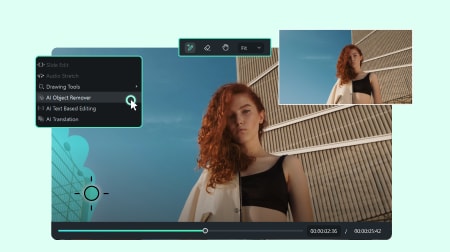
Filmora product images
Official Wondershare feature illustrations. These are vendor demonstrations; available features and interfaces may vary by version and plan.
Questions to ask before buying
- Do you need Windows, macOS or another supported platform?
- Will you mainly create landscape videos, vertical shorts or both?
- Which features do you actually need: captions, screen recording, audio cleanup, AI tools or stock assets?
- Does the current plan include the export options and usage limits you need?
- Will your computer handle the project resolution, media codecs and storage requirements?
- Have you checked the current regional price, renewal terms, refund policy and account requirements?
- Are the music, images, voices and AI outputs in your project licensed for the way you plan to publish them?
How I would test it
Use a short sample project before committing. Import a phone clip, a voice recording and one music track. Test trimming, captions, audio cleanup, vertical reframing and export. Then check the output on the device where your audience will watch it. This small test tells you more than a long feature list.
Wondershare Filmora versus a specialist editor
Filmora’s appeal is breadth and approachability. A specialist editor may offer deeper colour, audio, compositing or collaborative controls, but it can also require more setup and training. Choose based on the work you repeat every week, not on the number of features listed on a landing page.
Final take
Filmora is a reasonable candidate for creators who want one approachable workflow for editing, captions, audio and social-ready versions. Test the free version first, note the watermark, confirm the plan terms and only then decide whether the paid workflow fits your budget and publishing needs.
Check the current Wondershare plans and product options
For more creator resources, see the AditsBlogs SEO Brief Builder, the Blog Revenue Calculator and our content and WordPress services.
Sources
STAY CONNECTED
More from AditsBlogs, in your inbox
Get occasional updates on new guides, tools, games and creative posts.