Disclosure: this post may contain affiliate links; AditsBlogs may earn a commission at no extra cost to you.
A supplier invoice can be genuine while the bank details attached to it are fraudulent. An attacker who has access to a real email thread can quote the right invoice number, amount and due date, then ask your accounts payable team to send the money to a different account.
In a U.S. ACH credit, the payer instructs its bank to push funds to the recipient. If a fraudster tricks the payer into approving that instruction, an apparently authorized payment can still reach the wrong account. Nacha calls this credit-push fraud. Its October 28, 2026 guidance for payment teams emphasizes validating changed instructions through trusted channels and adding approvals for higher-risk transactions.
1. Put the affected payment on hold
Record the request against the vendor ID and identify any open invoices or queued payments that could use the new details. Keep the proposed update pending. If the payment is already in a batch that can still be changed, route it to the person authorized to stop or remove it. Give the request an owner and a follow-up time so an unresolved change stays visible.
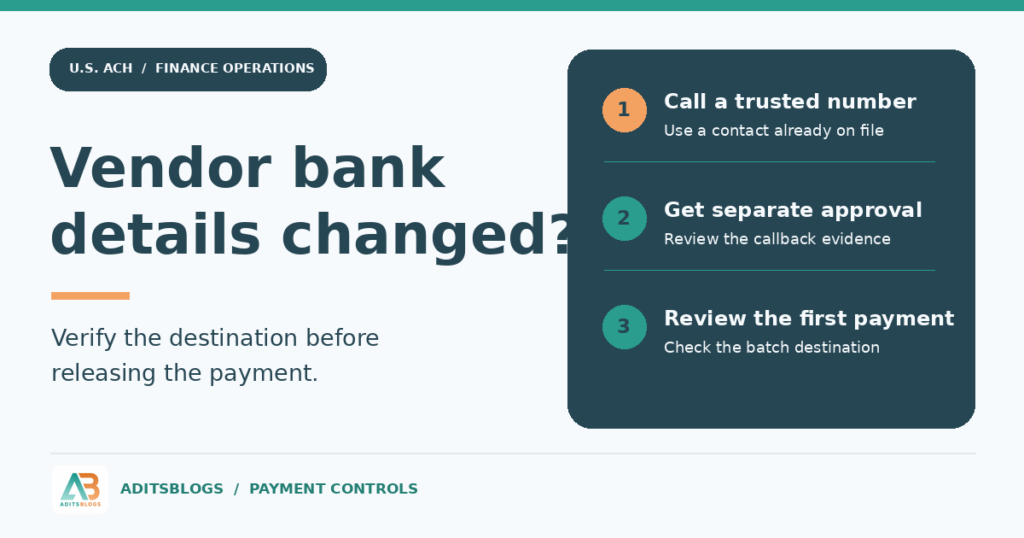
2. Call a vendor contact you already trust
Use an independently established number from the approved vendor record or onboarding file. Ask an authorized vendor representative to confirm whether the change was requested, who authorized it and when it should take effect. Confirm the relevant payment details through your approved secure process. A number in the email signature, attached form or reply thread comes from the same source as the request. The FBI’s business email compromise guidance recommends looking up the phone number independently and calling to verify the request.
If the established contact cannot be reached, keep the change pending and escalate it through your vendor-management process. A valid routing number can help identify a bank. It does not establish that the destination account belongs to the supplier or that the supplier authorized the change.
3. Separate the record change from payment approval
Have one team member enter the proposed change and a second person review the callback record and approve the update. Capture the vendor ID, request date, source of the trusted contact, verification outcome, effective date and approver. Reference sensitive bank details in the secure vendor record and use masked identifiers in the general exception log.
Before releasing the first payment to the changed account, have the payment approver compare the batch destination with the approved vendor record. Confirm which invoices the change covers. If the batch was built before the vendor update, check the actual destination in the batch, since updating a vendor record may leave an existing payment file untouched.
A fictional $8,400 example
On Tuesday, a supplier emails AP two hours before its payment cutoff. The email gives the correct invoice number and asks AP to send the $8,400 to a new account that afternoon. AP puts the payment on hold, calls the number in the approved vendor record and learns that the supplier never requested a change.
The team logs the failed verification and escalates the suspicious email. Before releasing the legitimate invoice, the payment approver checks that the batch uses the supplier’s previously verified instructions. The purchase order and invoice were accurate throughout. The control that caught the scam was verifying the destination independently.
If the payment already went out
Contact the financial institution that sent the payment immediately and ask about recovery options. Have the amount, settlement date, ACH trace number and payment record ready if available. Preserve the email and approval trail, notify the internal incident owner and check whether the same vendor record was used in other payments. For suspected U.S. business email compromise, the FBI directs reports to the Internet Crime Complaint Center. Recovery depends on the circumstances, so avoid assuming the funds will come back or issuing a replacement before verifying the instructions.
What to put on the approval checklist
- The callback used a contact established before the change request.
- An authorized vendor representative confirmed the change through an approved channel.
- A second person reviewed the evidence and approved the vendor update.
- The first payment batch matches the approved destination and invoice scope.
- The case has an owner, a recorded outcome and a follow-up date if it is still open.
For help tracking unresolved cases, see the reconciliation exception log guide. If your fintech or finance operations team needs customer education or practical workflow guides, explore AditsBlogs content-writing services.
STAY CONNECTED
More from AditsBlogs, in your inbox
Get occasional updates on new guides, tools, games and creative posts.