
Starting a blog in 2026 can feel overwhelming.
There are hundreds of apps, subscriptions, “all‑in‑one” platforms, and AI tools — and most of them want your money before you’ve even hit publish on your first post.
- 1. Free Writing & Editing Tools
- 1.1 Google Docs – Draft and Organize Your Posts
- 1.2 Grammarly – Fix Grammar and Improve Readability
- 1.3 Notion or Google Keep – Idea Capture and Content Planning
- 2. Free SEO & Keyword Research Tools
- 2.1 Google Keyword Planner – Starting Point for Keyword Ideas
- 2.2 Google Search Console – See What You Already Rank For
- 2.3 Free Keyword Tools for Beginners
- 3. Free Tools for Blog Setup and Design
- 3.1 WordPress + Essential Free Plugins
- 3.2 Free Themes and Page Builders
- 4. Free Design & Visual Content Tools
- 4.1 Canva – Thumbnails, Social Graphics, and Blog Images
- 4.2 Free Screenshot and Screen Recording Tools
- 5. Free AI & Automation Tools for Bloggers
- 5.1 Free AI Writing Assistants (Use Carefully)
- 5.2 Simple Automation with Free Tools
- 6. Free Email Marketing Tools for Beginners
- 7. Free Analytics & Performance Tools
- 7.1 Google Analytics – Understand Your Audience
- 7.2 Page Speed Insights – Check Your Site Speed
- 8. How to Choose the Right Tools (Without Overwhelm)
- 📧 Get New Posts by Email
Here’s the good news:
You do not need expensive software to launch a professional, SEO‑ready blog.
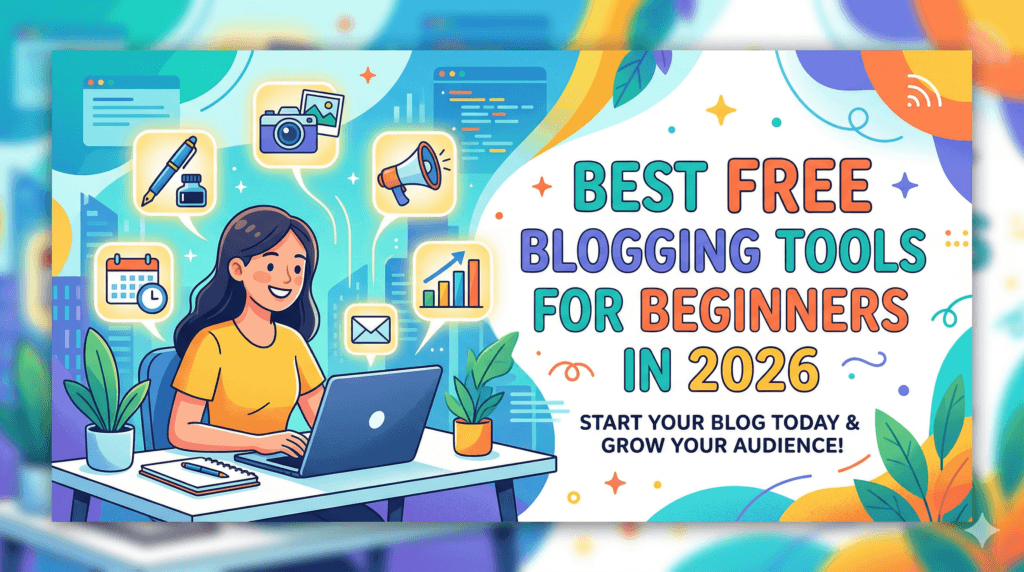
In this guide, I’ll show you the best free blogging tools for beginners in 2026 so you can write faster, design better, and grow traffic — even if your budget is ₹0 right now.
If you haven’t started your blog yet, read this alongside my step‑by‑step guide:
SEMrush – SEO & marketing toolkit
All‑in‑one platform for keyword ideas, competitor research, basic site audits, and simple tracking of your search visibility.
Amazon – creator & work gear
Browse laptops, microphones, lighting, and other basic tools that can support blogging, recording, or work‑from‑home setups.
Some links above are affiliate links. If you choose to purchase through them, it can support this site at no extra cost to you.
Start a Blog in 2026: Step‑by‑Step Guide for Beginners for setup, hosting, and niche selection.
1. Free Writing & Editing Tools
Strong content starts with clear writing.
These tools help you draft, edit, and polish posts without paying for premium plans.
1.1 Google Docs – Draft and Organize Your Posts
Best for: Drafting blog posts, collaborating, and keeping everything in the cloud.
Why it’s useful for beginners:
- Autosaves your work — no more lost drafts.
- Easy headings, bullet lists, and comment features for editing.
- Works nicely with Grammarly and other browser extensions.
How to use it in your workflow:
Draft your complete blog post in Google Docs, apply basic formatting (H2, H3, bullet points), then paste into WordPress for final on‑page SEO tweaks.
1.2 Grammarly – Fix Grammar and Improve Readability
Best for: Catching grammar mistakes and polishing tone.
Even if you write well, Grammarly’s free Chrome extension will catch:
- Typos and spelling errors
- Basic grammar issues
- Awkward, wordy sentences
Install the extension and let it run while you write in Google Docs or directly in the WordPress editor.
Treat its suggestions as recommendations, not rules — always keep your natural voice.
- Grammarly: https://www.grammarly.com
1.3 Notion or Google Keep – Idea Capture and Content Planning
Best for: Storing blog post ideas, outlines, and future content plans.
You don’t need a full project management tool to start.
Use:
- Notion for a simple editorial calendar and idea database, or
- Google Keep for quick notes when an idea hits you on mobile.
Later, you can upgrade to a full content calendar system once you’re publishing consistently.
2. Free SEO & Keyword Research Tools
You already have helpful posts on keyword tools and SEO basics, so this section connects beginners to those resources while giving a simple toolkit.
2.1 Google Keyword Planner – Starting Point for Keyword Ideas
Best for: Basic keyword ideas and rough search volume.
Although built for advertisers, Google Keyword Planner can still show:
- Keyword ideas around your topic
- Approximate search volume ranges
- Related phrases you might not have thought about
Use it to brainstorm topics, then refine your content plan with more detailed tools later.
2.2 Google Search Console – See What You Already Rank For
Best for: Tracking your blog’s performance in Google Search.
Once your blog is live, connect it to Google Search Console:
- See which keywords bring impressions and clicks
- Identify posts that are close to page‑one rankings
- Spot technical errors like indexing issues
Make it a habit to check Search Console once a week and update posts that are almost ranking on page one (positions 8–20).
- Google Search Console: https://search.google.com/search-console
- Google Keyword Planner: https://ads.google.com/home/tools/keyword-planner/
2.3 Free Keyword Tools for Beginners
You already have a post about free keyword research tools; this is a perfect internal link.
For a deeper breakdown of beginner‑friendly tools, check:
5 Free Keyword Research Tools
In that article, you explore options that help you:
- Find low‑competition keywords
- Understand what people are actually searching for
- Plan content that can rank without massive authority
Link to it here as “Read more” so new readers can dive deeper into keyword research without leaving your site.
Try Semrush to Get the best Results.
3. Free Tools for Blog Setup and Design
Design matters more than most beginners think.
A clean, readable layout keeps people on your page longer — which indirectly helps SEO.
3.1 WordPress + Essential Free Plugins
If you’re using self‑hosted WordPress (recommended for serious blogging), you already have a powerful platform.
To extend it, install a few free plugins that give you extra control without slowing your site.
You’ve already covered some in your post: WordPress Plugins That Every Blogger Must Know — link this as a key resource.
Basic free plugin stack for beginners:
- An SEO plugin (Rank Math or Yoast SEO free)
- A caching plugin for speed (e.g., W3 Total Cache)
- A contact form plugin
- A security plugin
Send readers to your WordPress plugin article for detailed, updated recommendations and setup steps.
3.2 Free Themes and Page Builders
As a beginner, you don’t need paid themes.
Start with a clean, fast free theme like Astra, GeneratePress, or the default Twenty Twenty‑Four theme, then customize fonts and colors to match your brand.
If you want drag‑and‑drop control, Elementor has a free version that is more than enough for basic pages and landing pages.
You can later upgrade to premium if you need advanced widgets or templates.
- Elementor: Best Website Builder
4. Free Design & Visual Content Tools
Eye‑catching visuals dramatically improve click‑through rate and time on page.
4.1 Canva – Thumbnails, Social Graphics, and Blog Images
Best for: Featured images, Pinterest pins, Instagram posts, and simple infographics.
With Canva Free, you can:
- Create blog featured images using templates
- Design simple infographics to explain concepts
- Batch‑create social media posts to promote your articles
Pick 2–3 on‑brand colors and 1–2 fonts (which aligns perfectly with your teal‑navy‑orange brand system) and reuse them for all designs so your content is instantly recognizable.
- Canva: https://www.canva.com
4.2 Free Screenshot and Screen Recording Tools
Tutorial blogs, especially in blogging and tech, benefit from screenshots.
Use:
- Your device’s built‑in screenshot tool
- Free apps like ShareX (Windows) or QuickTime Player (Mac) for screen recordings
You can then annotate or crop images in Canva to highlight important buttons or menu paths.
5. Free AI & Automation Tools for Bloggers
You already write about AI writing assistants, so this section ties into your existing AI content and lets you internally link to it.
5.1 Free AI Writing Assistants (Use Carefully)
Tools like ChatGPT (free tier) and other limited free AI writers can help with:
- Brainstorming blog post ideas
- Generating outlines and FAQ sections
- Rewriting awkward sentences
- Creating alternative titles and meta descriptions
However, never copy AI drafts and publish them as‑is.
Always:
- Add your own experience and examples
- Fact‑check statistics
- Run a manual edit for flow and tone
For a deeper breakdown of specific AI writing tools and how bloggers can use them, send readers to your post:
Level Up Your Blog With AI Writing Assistants (Five Tools)
5.2 Simple Automation with Free Tools
You don’t need a full automation platform from day one, but a few free automations can help:
- Schedule social posts using built‑in schedulers (Facebook, Instagram, Pinterest)
- Use tools like IFTTT or Zapier free tier for simple tasks (e.g., “New blog post → send to Google Sheets log”)
As your traffic and income grow, you can later upgrade to paid AI SEO tools like Semrush, Surfer, or Frase — which you already reference on AditsBlogs for more advanced users.
6. Free Email Marketing Tools for Beginners
Blogging + email list = long‑term audience and income.
Many email marketing tools offer free tiers that are perfect when you’re just starting.
Look for features like:
- Landing pages and simple signup forms
- Basic automation (welcome sequence)
- Decent free subscriber limit
You already have a detailed review of Moosend as an email marketing tool:
Moosend Mail: The All‑in‑One Email Marketing Tool You Need in 2025
Link to it here as your recommended starting email tool, and explain how beginners can use it to send newsletters for new blog posts.
7. Free Analytics & Performance Tools
You can’t improve what you don’t measure.
7.1 Google Analytics – Understand Your Audience
Connect Google Analytics to your blog to learn:
- Which posts get the most traffic
- Where your readers come from (search, social, direct)
- How long they stay on each page
Use this data to:
- Double down on topics that perform well
- Improve posts with high bounce rate
- Plan spin‑off posts around top performers
7.2 Page Speed Insights – Check Your Site Speed
Use Google PageSpeed Insights to see how fast your pages load on desktop and mobile.
If your score is low, follow its recommendations:
- Compress large images
- Reduce unnecessary plugins
- Use caching
Fast sites give a better user experience and support your SEO efforts.
- Google Analytics: https://analytics.google.com
- PageSpeed Insights: https://pagespeed.web.dev/
8. How to Choose the Right Tools (Without Overwhelm)
With so many free options, it’s easy to install everything and end up using nothing.
Here’s a simple rule for beginners:
- Pick one tool per job.
- One writing tool (Google Docs)
- One SEO plugin
- One design tool (Canva)
- One email tool
- Master the basics before upgrading.
Use the free version until you consistently hit publish every week.
Only upgrade when a limitation is clearly stopping your growth (e.g., email subscriber limit, lack of automation you actually need). - Focus on content and consistency.
Tools support your blog — they don’t replace consistent publishing and helpful content.
For a full foundation on how blogging works and how to start from scratch, direct readers to:
What Is a Blog? Types and Importance and your Start a Blog in 2026 guide.

About Aditya Singh
I write content on Blogging, Digital Marketing, Tech, and Life- skills. I also write Poetry and Short-Stories in my free time.
Related products on Amazon
Suggestions loosely based on this article
Affiliate note: Some links below are affiliate links. If you choose to buy through them, it can support this site at no extra cost to you.


Product details and prices are taken from Amazon pages and can change over time.