
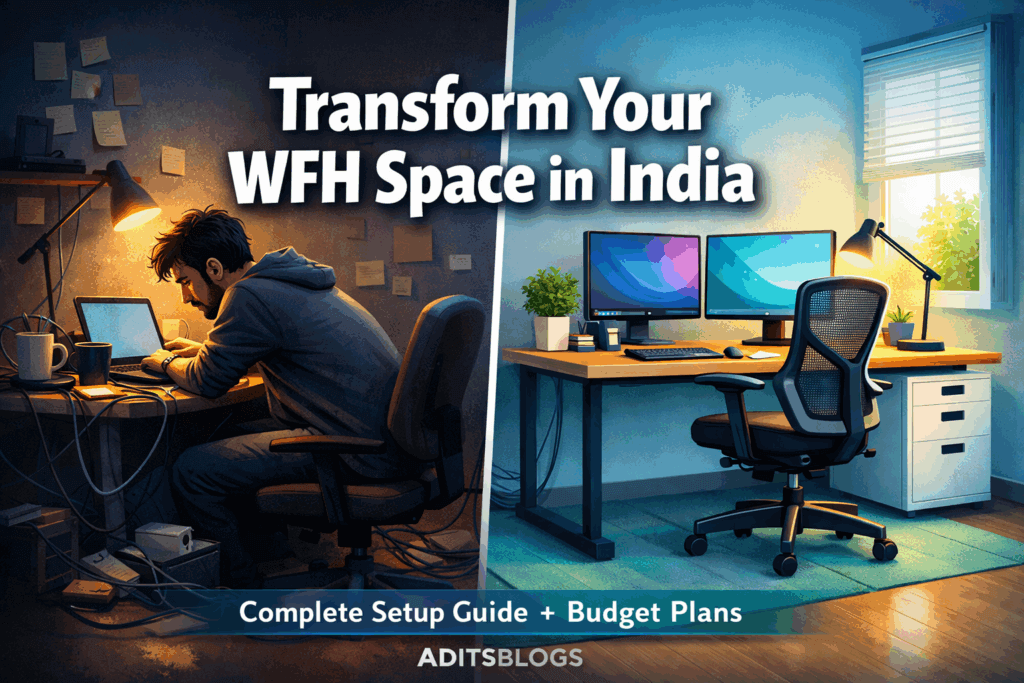
The rise of remote work has transformed how we think about our workspaces. No longer confined to traditional office buildings, millions of professionals across India are now setting up home work-from-home desks in bedrooms, living rooms, and spare corners of their homes.
- Table of Contents
- 1. Choose the Right Desk: Your Foundation for Productivity
- Types of WFH Desks Available in India
- Desk Size and Workspace
- 2. Invest in an Ergonomic Office Chair: Your Back Will Thank You
- Key Features of an Ergonomic Office Chair
- Budget Options: Ergonomic Chairs Under ₹10,000
- Premium Options: Ergonomic Chairs ₹10,000-₹20,000
- 3. Optimize Your Monitor Setup: Eye Level is Key
- The Golden Rule: Top of Screen at Eye Level
- Distance and Angle Guidelines
- Tools to Achieve Perfect Monitor Height
- 4. Master Cable Management: A Clean Desk is a Focused Mind
- Step-by-Step Cable Organization Strategy
- 5. Lighting: Illuminate Your Workspace for Peak Productivity
- The Lighting Pyramid: Three Layers for Success
- 6. Ergonomic Posture: The Anatomy of Healthy Sitting
- The Perfect Sitting Position Checklist
- 7. Additional Accessories That Complete Your Setup
- Monitor Stand or Riser
- External Keyboard and Mouse
- Footrest
- Desk Pad and Organizer
- 8. Budget-Friendly WFH Desk Setup: Complete Plans
- Budget Plan 1: Minimal Setup (Under ₹15,000)
- Budget Plan 2: Mid-Range Setup (₹25,000-₹40,000)
- Budget Plan 3: Premium Setup (₹40,000-₹75,000)
- 9. Product Recommendations
- Top Chair Recommendations
- Hosting & Tool Recommendations
- 10. FAQs: Your Questions Answered
- Conclusion: Your Healthy, Productive WFH Setup Starts Today
- 📧 Get New Posts by Email
But here’s the challenge: creating a productive, comfortable, and healthy workspace at home isn’t just about finding a desk and chair. It requires intentional planning, the right ergonomic choices, and smart investment in key furniture pieces.
According to recent surveys, 41% of work-from-home professionals experience lower back pain, and roughly 24% suffer from neck pain—most of which stems from poor desk setups. The good news? With the right guidance, you can avoid these issues entirely and create a workspace that not only boosts your productivity but also protects your long-term health.
SEMrush – SEO & marketing toolkit
All‑in‑one platform for keyword ideas, competitor research, basic site audits, and simple tracking of your search visibility.
Amazon – creator & work gear
Browse laptops, microphones, lighting, and other basic tools that can support blogging, recording, or work‑from‑home setups.
Some links above are affiliate links. If you choose to purchase through them, it can support this site at no extra cost to you.
This complete guide walks you through everything you need to know about setting up a work-from-home desk in India, from choosing the perfect desk and chair to optimizing lighting and cable management. Whether you have a generous budget or need to work within strict constraints, you’ll find practical, actionable solutions that work for your situation.
Let’s dive in.
Table of Contents
1. Choose the Right Desk: Your Foundation for Productivity
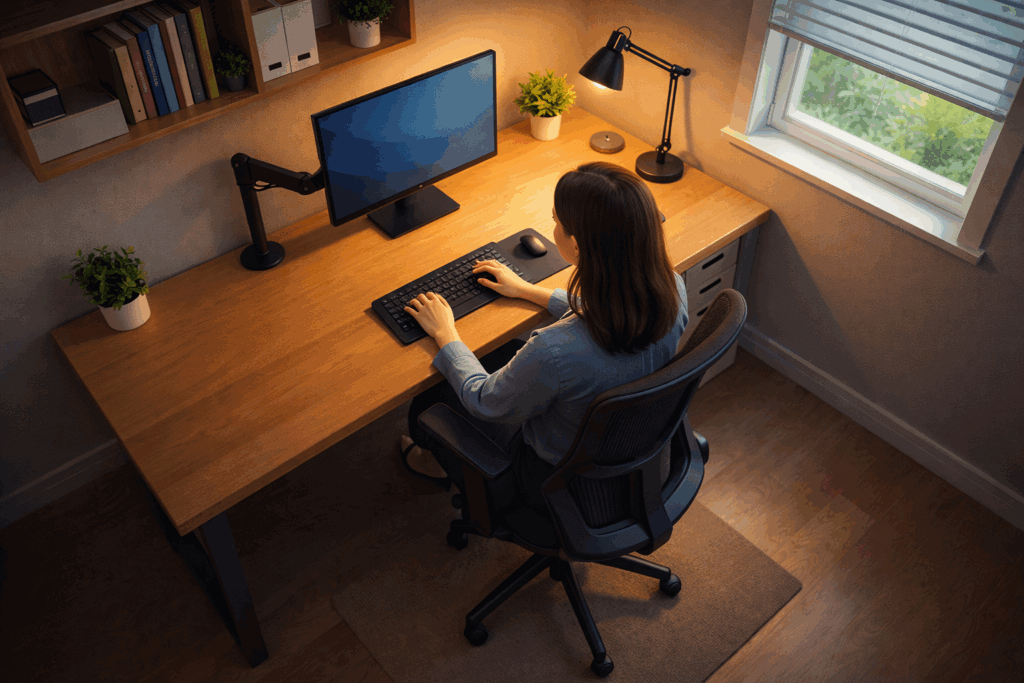
Your desk is the cornerstone of your entire work-from-home setup. It needs to be functional, spacious enough for your workflow, and at the correct height to support proper posture.
Types of WFH Desks Available in India
Fixed Height Desks
Fixed-height desks are affordable and come in countless designs. Standard desk heights in India range from 28 to 30 inches (71-76 cm), which is ideal for most sitting-based work. You can find quality fixed desks starting at ₹5,000 for basic models. Brands like IKEA India, Wooden Street, and local carpenters offer excellent options.
Height-Adjustable Desks
Height-adjustable desks allow you to switch between sitting and standing throughout the day—a game-changer for combating fatigue and promoting better circulation. Electric height-adjustable desks from brands like Green Soul, Jin Office, and others now cost as low as ₹15,000-₹20,000 in India, making them more accessible than ever. Manual adjustable desks start even lower, around ₹10,000.
Pro Tip: If a full standing desk is outside your budget, consider a fixed desk paired with a desk riser or monitor arm. This hybrid approach gives you some height flexibility without the premium cost.
Desk Size and Workspace
For most work-from-home professionals, a desk that’s 120 cm (4 feet) wide and 60 cm (2 feet) deep is the sweet spot. This size accommodates a monitor, keyboard, mouse, and some breathing room without being overwhelming. If you work with multiple monitors, dual setups, or need space for documentation, opt for desks 140 cm or wider.
Popular desk options in India include:
- IKEA TROTTEN Desk (140×80 cm) – ₹10,000-₹12,000
- IKEA ALEX Desk (132×58 cm) – ₹13,990
- Wooden Street Study Tables (compact designs) – ₹5,000-₹8,000
- Green Soul Height-Adjustable Desks – ₹15,000-₹28,990
Internal Link Suggestion: Check out our complete guide on [Affordable Home Office Furniture Under ₹10,000 in India] for more budget-friendly desk options.
2. Invest in an Ergonomic Office Chair: Your Back Will Thank You
If your desk is the foundation, your chair is the pillar supporting your health during those 8-10 hour workdays. A poor chair choice is the fastest route to back pain, shoulder strain, and reduced productivity.
Related: Best Grammar Checker for Bloggers: Top Tools to Improve Your Writing
Key Features of an Ergonomic Office Chair
When shopping for an office chair in India, prioritize these features:
- Adjustable Seat Height: Allows your feet to rest flat on the floor with knees at a 90-degree angle
- Lumbar Support: Critical for maintaining the natural curve of your spine and preventing lower back pain
- Adjustable Armrests: Keeps your shoulders relaxed and prevents arm fatigue
- Tilt Mechanism: Allows recline without collapsing, supporting dynamic sitting
- Breathable Material: Mesh or fabric prevents heat buildup during long work sessions
- Durable Base: A stable 5-wheel base ensures mobility without tipping
Budget Options: Ergonomic Chairs Under ₹10,000
You don’t need to spend a fortune on a quality ergonomic chair. Here are affordable options available in India:
- Green Soul Bosco High Back Executive Chair – ₹9,990 (originally ₹33,990)
- Green Soul Zodiac Pro High Back Mesh Chair – ₹9,990
- IKEA FLINTAN Office Chair – ₹8,490
- IAFA Bronze Zen Leatherette Home/Office Chair – ₹7,000-₹9,000
Premium Options: Ergonomic Chairs ₹10,000-₹20,000
For those willing to invest more:
- Green Soul Jupiter Superb Intelli-Adapt Chair – ₹9,690-₹15,090
- Green Soul Leo Superb Premium Chair – ₹10,490
- Jin Office Ergonomic Chairs – ₹12,000-₹18,000
Try Green Soul office chairs today for superior ergonomic support and experience the difference comfort makes in your productivity.
Expert Tip: The most expensive chair isn’t always the best. Focus on trying chairs in person (when possible) or reading detailed reviews. Your comfort is subjective, and what works for someone else might not work for you.
3. Optimize Your Monitor Setup: Eye Level is Key
Your monitor placement directly impacts your neck, shoulders, and eyes. Poor monitor positioning is a leading cause of the neck pain reported in WFH professionals.
The Golden Rule: Top of Screen at Eye Level
Position your monitor so the top of the screen is at or slightly below eye level. When seated naturally in your chair, your eyes should naturally fall on the upper third of the screen without tilting your head up or down.
Distance and Angle Guidelines
| Screen Size | Optimal Distance | Viewing Angle |
|---|---|---|
| 21-24 inches | 20-26 inches (50-66 cm) | Slightly downward |
| 27 inches | 28-36 inches (71-91 cm) | Slightly downward |
| Dual monitors | Arm’s length × 2 | Side angles 30° max |
Tools to Achieve Perfect Monitor Height
Monitor Arms: A single monitor arm is a game-changer for ergonomics. It frees up desk space, allows infinite height adjustments, and costs just ₹2,000-₹5,000 for quality options.
Monitor Stands: Desktop stands cost ₹1,500-₹3,000 and come in fixed or adjustable heights.
DIY Solutions: Stack books or use cardboard boxes to raise your monitor. This costs nothing and works surprisingly well for temporary adjustments.
Get started with a monitor arm today to eliminate neck strain and improve your screen viewing experience.
4. Master Cable Management: A Clean Desk is a Focused Mind
A cluttered desk with tangled cables not only looks unprofessional (especially during video calls) but also creates safety hazards and makes maintenance harder.
Related: 6 important tips for buying a Computer
Step-by-Step Cable Organization Strategy
1. Plan Before You Connect
Before plugging anything in, map out where your cables need to run. Measure distances and identify the most efficient routes.
2. Use Cable Management Tools
Invest in these affordable accessories:
- Cable ties and velcro straps (₹200-₹500) – Bundle similar cables together
- Under-desk cable trays (₹500-₹1,500) – Keep cables organized and hidden
- Adhesive cable clips (₹300-₹800) – Route cables along desk edges
- Cable sleeves (₹400-₹1,200) – Protect cables and improve aesthetics
- Power strip with mounts (₹800-₹2,000) – Mount under desk instead of leaving it on the floor
3. Label Everything
Use colored zip ties or cable labels to identify which cable goes where. This saves hours of troubleshooting later.
4. Create a Power Zone
Position your power strip in an easily accessible but hidden location, typically under or behind your desk. Ensure adequate ventilation around the power strip for safety.
5. Route Cables Along Edges
Rather than having cables dangle in the middle of your desk, route them along the back and sides, using clips to keep them secure.
Internal Link Suggestion: Read our post on [DIY Home Office Organization Hacks] for more desk organization ideas beyond cable management.
5. Lighting: Illuminate Your Workspace for Peak Productivity
Lighting is often overlooked but is absolutely crucial for reducing eye strain, maintaining alertness, and supporting your circadian rhythm.
The Lighting Pyramid: Three Layers for Success
Ambient Lighting (General Room Light)
This is your baseline illumination. Aim for around 300-500 lux at desk level. Without proper ambient light, your monitor becomes the brightest object in the room, forcing your eyes to work overtime.
Options:
- Ceiling fixtures or panel lights
- Recessed LED downlighters (energy-efficient and adjustable)
- Natural daylight from windows (best if available)
Task Lighting (Desk Lamp)
Task lighting should be roughly 3x brighter than ambient light. A good adjustable desk lamp prevents shadows on your work surface and reduces glare from the monitor.
Popular choices in India:
- IKEA NÄVLINGE LED Work Lamp – ₹1,490
- Crompton Immensa Smart LED Bulb – ₹1,500-₹2,500 (works with Alexa)
- Generic adjustable desk lamps – ₹800-₹1,500
Color Temperature Matters: Choose lamps with 4000K-5000K color temperature for focused work. This simulates daylight and keeps you alert without the harshness of 6500K.
Accent/Bias Lighting (Monitor Backlighting)
A light strip behind your monitor reduces the contrast between the bright screen and dark wall, significantly decreasing eye strain during long screen sessions. This is especially important if you work in a room without windows.
See how adjustable LED lighting transforms your WFH experience with energy-efficient options available across India.
Pro Tip: Avoid placing your desk directly facing a window, as backlighting from windows creates screen glare. Instead, position your desk perpendicular to windows for natural light without glare.
6. Ergonomic Posture: The Anatomy of Healthy Sitting
Even with the perfect desk and chair, poor posture will cause pain. Here’s how to sit correctly:
The Perfect Sitting Position Checklist
Head and Neck
- ✓ Keep your head upright, balanced directly above your shoulders
- ✓ Chin should be slightly tucked, not jutting forward
- ✓ Eyes naturally looking down at the upper third of your monitor
- ✓ No tilting or twisting of the neck
Shoulders and Arms
- ✓ Shoulders relaxed and down, not hunched
- ✓ Elbows bent at approximately 90 degrees
- ✓ Forearms parallel to the desk and floor
- ✓ Wrists neutral (not bent up or down) while typing
Torso and Back
- ✓ Sit back in your chair, fully using the backrest
- ✓ Maintain the natural curve of your spine
- ✓ Back should be straight but not rigid
- ✓ Use lumbar support or a pillow if needed
Hips and Legs
- ✓ Hips should be slightly higher than your knees (about 100-110 degree angle)
- ✓ Feet flat on the floor or footrest
- ✓ No pressure on the back of your thighs
The 45-Minute Rule: Even perfect posture becomes uncomfortable if held too long. Stand and stretch every 45 minutes. Walk around, do shoulder rolls, and let your spine reset.
7. Additional Accessories That Complete Your Setup
Monitor Stand or Riser
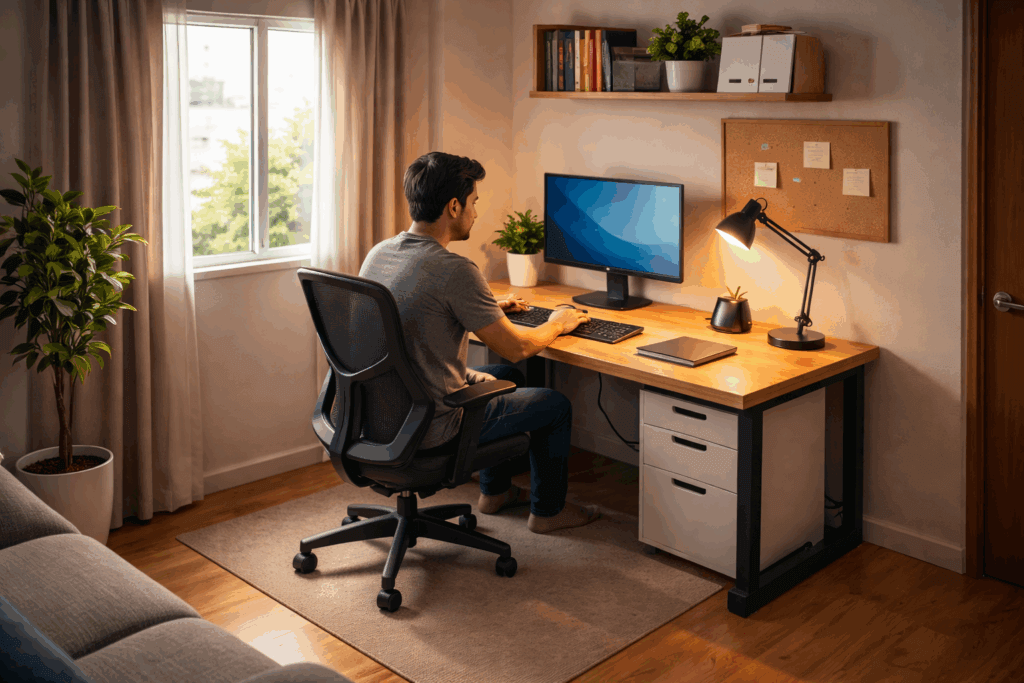
Elevating your monitor with a desk shelf or stand is one of the highest-ROI investments. It costs ₹1,500-₹3,000 but prevents neck strain and adds storage underneath.
External Keyboard and Mouse
Typing on a laptop keyboard while viewing a small screen is a recipe for poor posture. Invest in:
- Wireless keyboard – ₹1,000-₹3,000 (e.g., Logitech, basic mechanical keyboards)
- Ergonomic mouse – ₹1,000-₹2,500 (prevents wrist strain)
Footrest
If your feet don’t naturally rest on the floor with proper desk height, a footrest is essential. Adjustable footrests in India cost ₹1,000-₹2,500.
Desk Pad and Organizer
A quality desk pad (₹1,000-₹3,000) protects your desk surface and provides a soft base for your mouse. Small organizers keep pens, notepads, and essentials within reach.
Create a complete ergonomic workspace with quality accessories designed to support your comfort and productivity throughout the day.
8. Budget-Friendly WFH Desk Setup: Complete Plans
Not everyone has ₹50,000+ to spend on an office setup. Here are complete setup plans at different budget levels:
Budget Plan 1: Minimal Setup (Under ₹15,000)
| Item | Product | Price |
|---|---|---|
| Desk | Fixed wooden desk | ₹5,000-₹8,000 |
| Chair | IKEA FLINTAN | ₹8,490 |
| Lighting | Basic desk lamp + natural light | ₹1,000 |
| Accessories | DIY monitor stand + keyboard + mouse | ₹2,000 |
| Total | ₹16,490-₹19,490 |
Budget Plan 2: Mid-Range Setup (₹25,000-₹40,000)
| Item | Product | Price |
|---|---|---|
| Desk | IKEA ALEX Desk or Green Soul desk | ₹12,000 |
| Chair | Green Soul Bosco (₹9,990) or Zodiac Pro (₹9,990) | ₹9,990 |
| Monitor Arm | Basic single monitor arm | ₹3,000 |
| Lighting | Adjustable desk lamp + ceiling lights | ₹2,500 |
| Accessories | External keyboard, mouse, footrest | ₹5,000 |
| Total | ₹32,490 |
Budget Plan 3: Premium Setup (₹40,000-₹75,000)
| Item | Product | Price |
|---|---|---|
| Desk | Height-adjustable desk (Jin Office/Green Soul) | ₹20,000 |
| Chair | Green Soul Jupiter Superb/Leo Superb | ₹12,000 |
| Monitor Arm | Premium dual monitor arm | ₹6,000 |
| Lighting | LED panel lights + desk lamp + bias lighting | ₹5,000 |
| Accessories | Mechanical keyboard, ergonomic mouse, footrest, desk organizers | ₹8,000 |
| Total | ₹51,000 |
9. Product Recommendations
Top Chair Recommendations
For Budget: Green Soul Bosco (₹9,990)
The Green Soul Bosco offers excellent ergonomic support with spine-shaped backrest design, adequate lumbar support, and a cushioned headrest—all at an incredibly affordable price. Get the Green Soul Bosco chair today and start working pain-free.
For Mid-Range: Green Soul Jupiter Superb (₹9,690-₹15,090)
The Jupiter Superb features Intelli-Adapt Recline technology that adjusts to your body weight, breathable mesh back, and a cushioned headrest. Upgrade to the Green Soul Jupiter Superb for advanced ergonomic comfort.
For Premium: Green Soul Leo Superb (₹10,490)
With extra cushioning and advanced lumbar support, the Leo series is built for professionals working 8+ hours daily. Experience premium comfort with the Green Soul Leo chair today.
Hosting & Tool Recommendations
Hostinger for Your Blog
If you’re planning to start a work-from-home blog or online business, you’ll need reliable hosting. Hostinger offers affordable plans starting at ₹199/month with excellent uptime and performance. Get started with Hostinger and build your online presence.
Moosend for Email Marketing
Building an email list is crucial for any content creator. Moosend offers a user-friendly platform for creating newsletters and automating email campaigns. Try Moosend today for free and grow your subscriber base without complexity.
Elementor for Website Design
Creating a professional-looking website doesn’t require coding. Elementor is a drag-and-drop website builder that makes design easy. Get started with Elementor and build your dream website in minutes.
SentryPC for Productivity & Security
If you want to monitor your work-from-home productivity or ensure your device stays secure, SentryPC offers comprehensive parental controls, productivity tracking, and cybersecurity features. Try SentryPC to optimize your WFH security and productivity.
Fiverr for Outsourcing Design Tasks
Need professional graphics, thumbnails, or social media designs for your WFH business? Fiverr connects you with skilled freelancers worldwide. Find expert designers on Fiverr and scale your content creation.
Gumroad for Digital Product Sales
Selling digital products, courses, or templates? Gumroad makes it effortless to monetize your creations with minimal fees. Start selling on Gumroad and turn your expertise into income.
10. FAQs: Your Questions Answered
Q1: What is the ideal desk height for work from home?
A: Standard desk height is 28-30 inches (71-76 cm). When seated with your elbows bent at 90 degrees, your forearms should be parallel to the desk. Adjust with risers or footrests if needed.
Q2: How much should I spend on an office chair for work from home?
A: You can get a good ergonomic chair for ₹8,000-₹15,000 in India. The price doesn’t determine quality—focus on lumbar support, adjustability, and comfort rather than brand prestige.
Q3: Is a standing desk necessary for work from home?
A: Not necessary, but beneficial. Standing desks (₹15,000+) allow movement variety, but a fixed desk with proper posture and hourly breaks is sufficient. Consider standing desks when you have the budget.
Q4: How often should I take breaks from my WFH desk?
A: Stand and move every 45 minutes for at least 5-10 minutes. This prevents stiffness, promotes circulation, and resets your posture.
Q5: What’s the best lighting color temperature for work?
A: 4000K-5000K (cool white) supports focus and alertness. Avoid 2700K (warm) during work hours as it promotes relaxation. Use warm lighting only for evening wind-down.
Q6: Can I use a laptop as my primary work device?
A: Yes, but invest in an external monitor, keyboard, and mouse. Working solely on a laptop forces you into a hunched posture and strains your neck.
Q7: What’s the best monitor distance from my eyes?
A: Arm’s length away—approximately 50-70 cm depending on screen size. For 24-inch monitors, aim for about 60-66 cm distance.
Q8: How do I manage cable clutter on a tight budget?
A: Use velcro ties (₹200-₹500), adhesive clips (₹300), and DIY cardboard routing. These cost almost nothing but transform your desk appearance.
Conclusion: Your Healthy, Productive WFH Setup Starts Today
Setting up a home work-from-home desk in India doesn’t require spending a fortune or compromising on comfort. Whether you’re working with ₹15,000 or ₹75,000, the key is prioritizing ergonomics—your chair, desk height, monitor placement, and posture matter far more than fancy accessories.
Start with these non-negotiables: a decent ergonomic chair, proper desk height, monitor at eye level, and adequate lighting. Then, gradually add accessories as your budget allows. Remember, the best desk setup is one you’ll actually use consistently, without pain or distraction.
The remote work revolution is here to stay. Invest in your workspace today, and your back, neck, and productivity will thank you for years to come. With the right setup, working from home becomes not just tolerable—it becomes enjoyable.
Now it’s your turn. Audit your current desk setup. What’s missing? What’s causing discomfort? Start with one upgrade this month, and build from there. Your future self will thank you.

About Aditya Singh
I write content on Blogging, Digital Marketing, Tech, and Life- skills. I also write Poetry and Short-Stories in my free time.
Related products on Amazon
Suggestions loosely based on this article
Affiliate note: Some links below are affiliate links. If you choose to buy through them, it can support this site at no extra cost to you.


Product details and prices are taken from Amazon pages and can change over time.