

If you’re reading this, you’re likely in one of two categories:
- What Is InVideo?
- Why Video Is No Longer Optional (For You & Your Readers)
- Core Features That Actually Matter
- Is InVideo Good for Affiliate Marketers?
- Is It Good for Beginners?
- InVideo Pricing (Simple Breakdown)
- Who Should Buy It?
- Honest Pros & Cons
- Practical Strategy (For My Readers)
- Is It Worth It in 2026?
- Final Verdict
- 📧 Get New Posts by Email
- You want to create videos but don’t know editing.
- You’re a blogger/affiliate marketer who knows video = more conversions.
Either way — this guide will help you decide whether InVideo is actually worth your money.
No hype. Just practical clarity.
SEMrush – SEO & marketing toolkit
All‑in‑one platform for keyword ideas, competitor research, basic site audits, and simple tracking of your search visibility.
Amazon – creator & work gear
Browse laptops, microphones, lighting, and other basic tools that can support blogging, recording, or work‑from‑home setups.
Some links above are affiliate links. If you choose to purchase through them, it can support this site at no extra cost to you.
What Is InVideo?
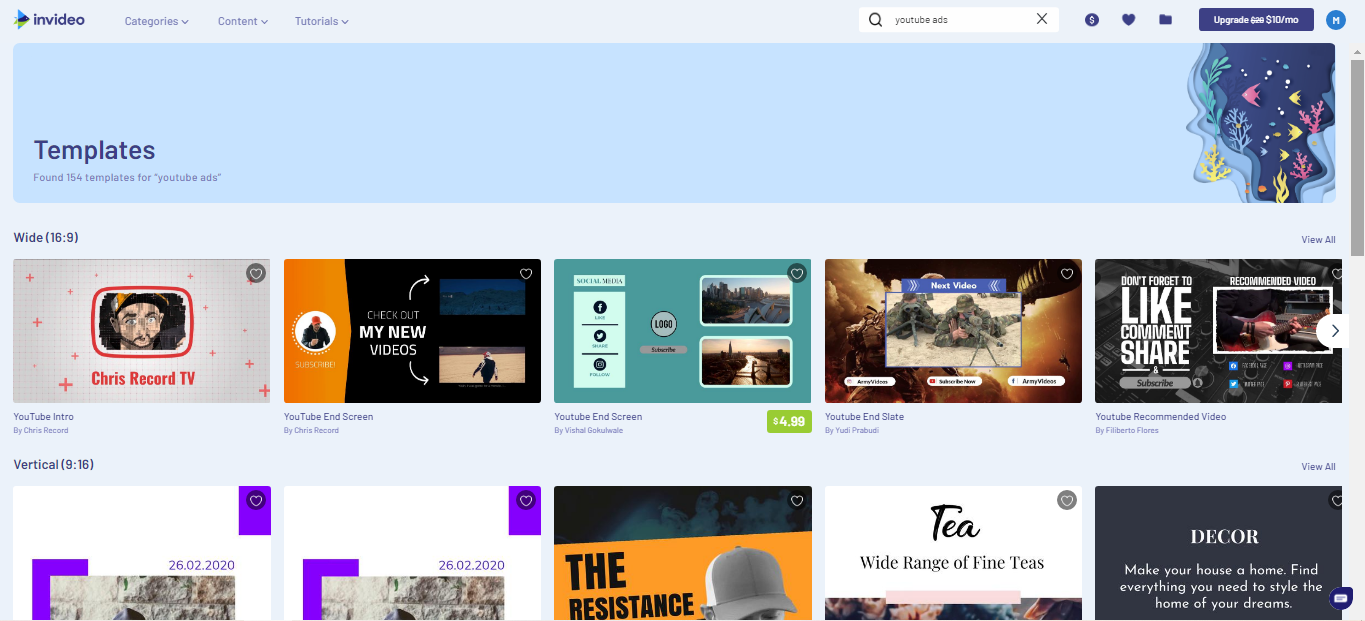
InVideo is an AI-powered online video creation platform that allows you to:
- Convert text into video
- Use 5000+ ready-made templates
- Generate AI voiceovers
- Create YouTube, Reels, ads & promo videos
- Export in HD without heavy software
It’s cloud-based, so no downloads, no heavy laptop required.
Why Video Is No Longer Optional (For You & Your Readers)
Let’s be honest.
Written blogs alone are not enough in 2026.
Here’s why video matters:
- YouTube is the second largest search engine.
- Video increases engagement time.
- Product videos increase buying confidence.
- Social media prioritizes video content.
If you’re an affiliate marketer, adding video can:
✔ Increase CTR
✔ Increase trust
✔ Improve conversions
✔ Build personal brand
If you’re a reader/creator, video helps you:
✔ Launch a YouTube channel
✔ Create reels without editing skills
✔ Promote your business
✔ Monetize content faster
Core Features That Actually Matter
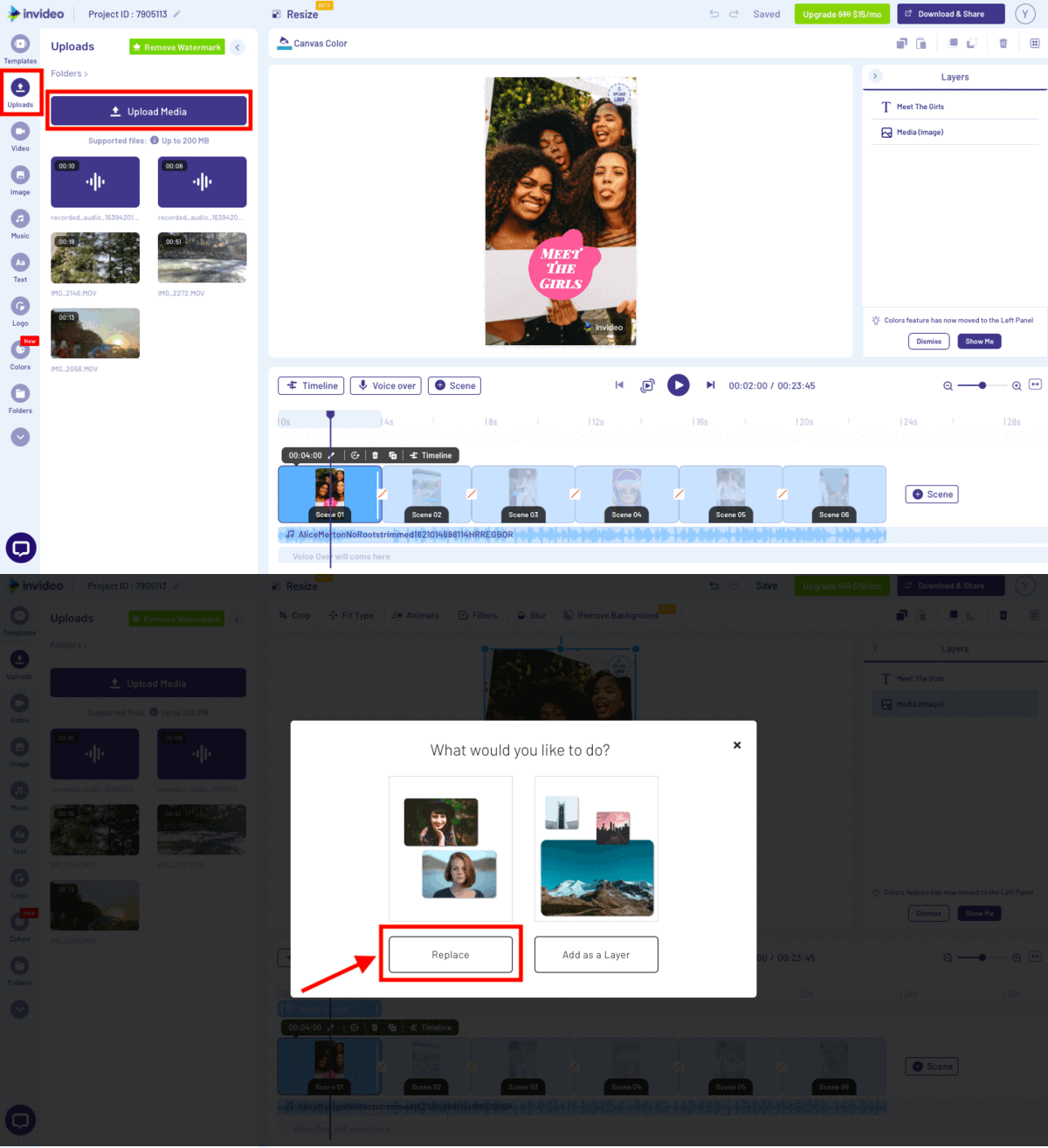
1️⃣ AI Text-to-Video
Paste a script or idea → AI creates scenes automatically.
Best for:
- Blog-to-video repurposing
- Affiliate product reviews
- Educational content
2️⃣ 5000+ Templates
You get professionally designed layouts for:
- YouTube
- Facebook ads
- Promotional videos
- Explainers
No need to design from scratch.
3️⃣ AI Voiceover
Multiple natural voices.
Good for faceless YouTube channels.
4️⃣ Stock Media Library
Millions of stock clips, music, and images included.
This alone can save thousands in licensing costs.
Is InVideo Good for Affiliate Marketers?
Yes — and here’s why strategically:
When you create:
- Product review videos
- Comparison videos
- Demo walkthroughs
You remove buyer hesitation.
Example strategy:
Write a blog post.
Embed a YouTube video made using InVideo.
Add affiliate links under both.
Now you’re monetizing:
- Google traffic
- YouTube traffic
- Social traffic
One piece of content → multiple income streams.
Is It Good for Beginners?
Yes.
If you can use Canva, you can use InVideo.
You don’t need:
- Adobe Premiere skills
- Video editing course
- Expensive laptop
It’s drag-and-drop simple.
InVideo Pricing (Simple Breakdown)

Typically includes:
- Free plan (watermark)
- Paid plans (no watermark + premium media)
For serious creators, the paid plan is recommended because:
- Watermark removal improves credibility
- HD export is essential for YouTube
- Premium assets increase production quality
Who Should Buy It?
Buy it if:
✔ You run a blog
✔ You promote affiliate products
✔ You want YouTube growth
✔ You create reels or short content
✔ You want faster production
Avoid if:
✖ You don’t plan to publish consistently
✖ You prefer manual editing control
Honest Pros & Cons
Pros
- Beginner friendly
- Fast production
- AI automation saves time
- Good template quality
- Cloud-based
Cons
- Requires internet connection
- Advanced editors may want more control
- AI scenes sometimes need manual tweaks
Practical Strategy (For My Readers)
Here’s how you can use it:
Step 1: Pick a niche topic
Step 2: Write 600–800 word script
Step 3: Paste into InVideo
Step 4: Edit visuals if needed
Step 5: Upload to YouTube + Shorts
Step 6: Add affiliate links
Repeat weekly.
Consistency compounds.
Is It Worth It in 2026?
If you value:
- Speed
- Automation
- Multi-platform growth
- Conversion-focused content
Then yes.
Video is not the future.
It’s the present.
And tools like InVideo lower the entry barrier dramatically.
Final Verdict
For:
✔ Bloggers
✔ Affiliate marketers
✔ Coaches
✔ Digital creators
✔ Small business owners
InVideo is a practical investment — not just a tool, but a growth accelerator.
If you’re serious about scaling content and increasing conversions, adding video is the smartest move you can make this year.

About Aditya Singh
I write content on Blogging, Digital Marketing, Tech, and Life- skills. I also write Poetry and Short-Stories in my free time.
Related products on Amazon
Suggestions loosely based on this article
Affiliate note: Some links below are affiliate links. If you choose to buy through them, it can support this site at no extra cost to you.


Product details and prices are taken from Amazon pages and can change over time.