Disclosure: this post may contain affiliate links; AditsBlogs may earn a commission at no extra cost to you.
- Quick verdict: who should consider NimbleVid?
- What NimbleVid offers
- NimbleVid pricing: starter pack versus subscription
- What will a finished video really cost?
- A practical first-video test before you upgrade
- Generated visuals or a conventional video editor?
- The limitations that matter before buying
- Can these videos earn money on YouTube?
- Buying checklist: make the decision in five steps
- Frequently asked questions
- Ready to evaluate NimbleVid?
Affiliate disclosure: AditsBlogs may earn a commission if you buy through links in this guide, at no extra cost to you. This is a research-based buying guide; we have not independently tested NimbleVid.
Have a video idea but keep getting stuck between writing the script and finishing the edit?
Start by organising your topic with the AditsBlogs SEO Brief Builder. Then decide whether your real bottleneck is planning, production, or getting viewers.
This NimbleVid review and buying guide helps you assess the tool before committing to a monthly bill. The useful question is simple: can it produce the kind of video you want at a cost you can sustain? A polished demo alone cannot answer that for your channel.
Quick verdict: who should consider NimbleVid?
Consider a small paid evaluation if you want narrated, illustrated videos and currently move between several production tools. It is most interesting when coordinating the workflow takes more effort than developing your ideas. If you mainly edit camera footage or already have a reliable editor, compare the benefit of switching before buying.
Our recommendation: evaluate one representative video before subscribing. Choose the format you actually plan to publish, set a spending cap, and judge the finished export. Do not choose a plan based on the number of videos you hope to make someday.
Check NimbleVid’s starter offer and current plans →
What NimbleVid offers
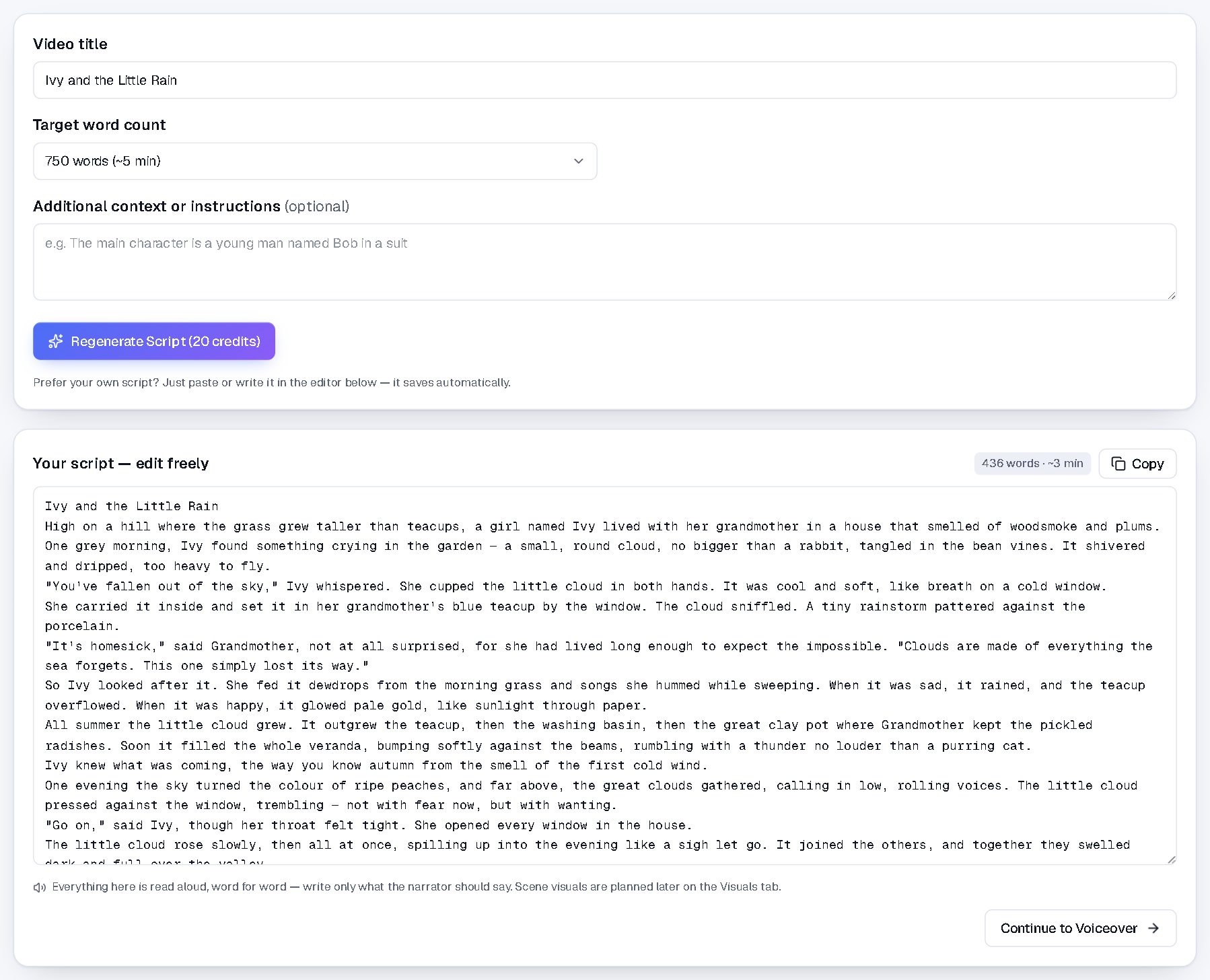
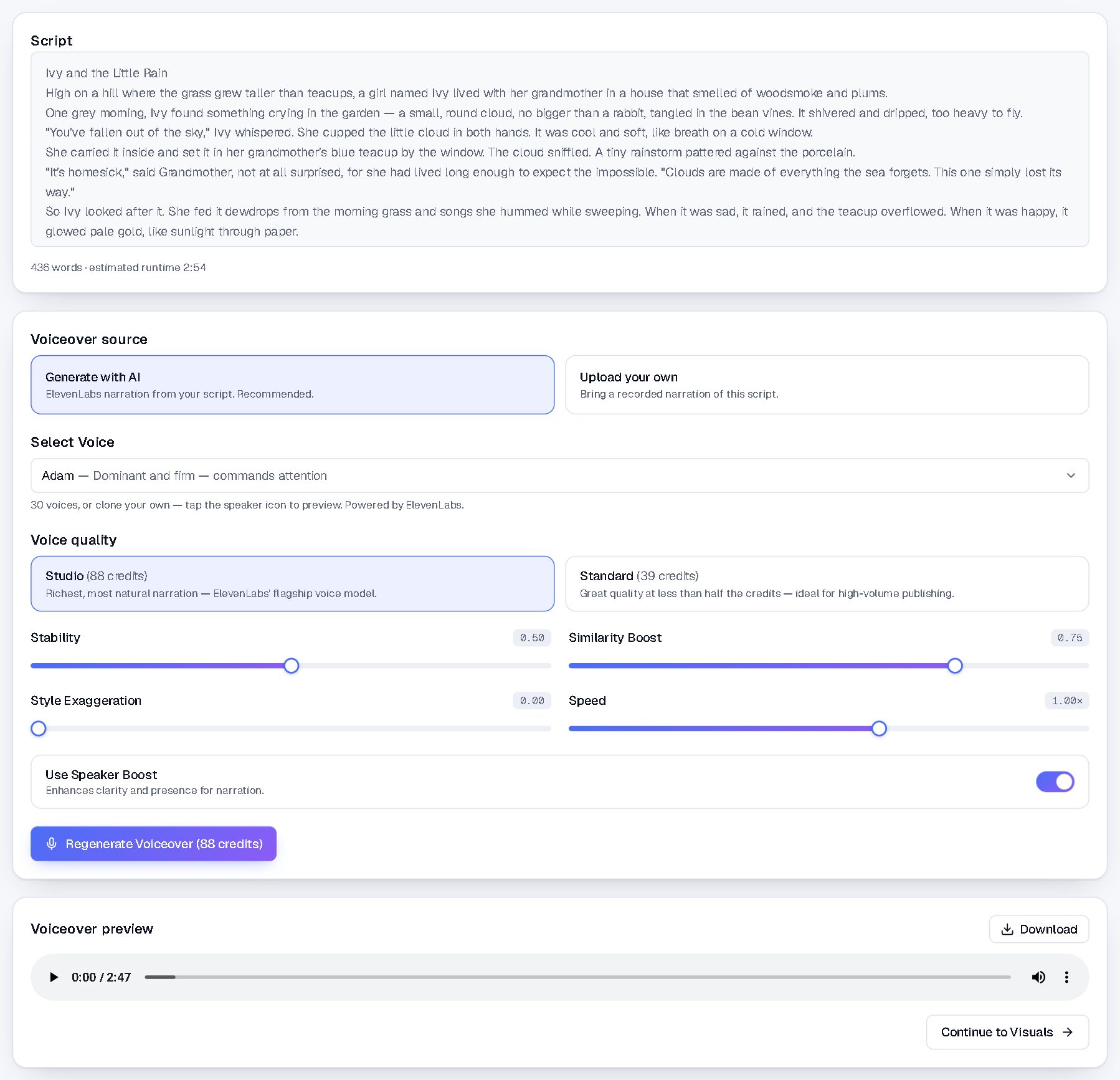
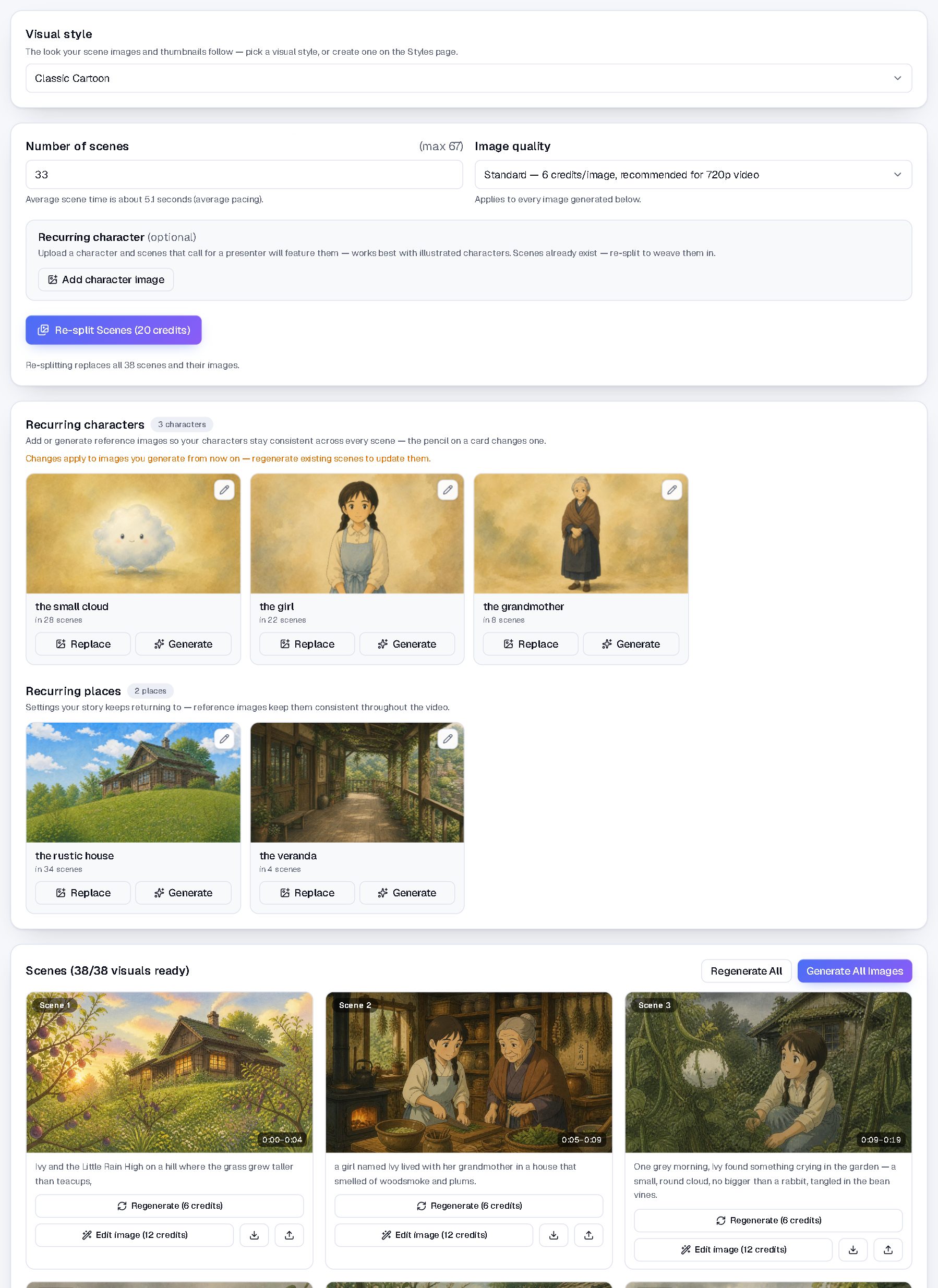
NimbleVid describes a connected workflow for ideas, scripts, ElevenLabs narration, generated scene visuals, video assembly, thumbnails and descriptions. Its positioning centres on faceless YouTube production with generated imagery rather than a stock-footage library. These are vendor-described capabilities, not independently measured performance claims. See the official product overview.
NimbleVid pricing: starter pack versus subscription
Checked 5 November 2026: the official pricing page lists a one-time US$9.99 starter pack with 1,100 credits, limited to one per customer. It says the pack does not renew. Monthly Basic is US$99 with 6,500 credits, Pro US$259 with 23,000, and Creator US$579 with 65,000. Monthly plans renew until cancelled.
Some other official landing pages still mention free credits. Because the public pages disagree, do not assume a free trial is available. Confirm the offer displayed for your account before checkout. Published USD prices are not an INR quotation: check taxes, currency conversion, billing period and cancellation terms.
Buy capacity for a workflow you have validated. Before paying, check credit expiry, top-up options, refund conditions, commercial usage rights and export settings. Ask support about anything unclear. Do not assume that cancelling a renewal means an earlier payment will be refunded.
What will a finished video really cost?
The vendor’s long-form guide estimates about 1,240 credits for ten minutes under its stated settings, without animation. This is an estimate, not a guaranteed quota. Additional generation choices and revisions can change the total. Budget for the version you would actually publish, including rejected scenes.
Illustrative calculation: if a hypothetical subscription costs $100 and you publish four acceptable videos from it, the subscription cost is $25 per published video. If only two are usable, it becomes $50. Add any top-ups and other production expenses before comparing that figure with your current workflow. These numbers illustrate the calculation; they are not NimbleVid test results.
A practical first-video test before you upgrade
Choose a focused topic you understand. A short original explainer is easier to evaluate than a sprawling documentary. Write down the intended audience, one useful takeaway and the visual style before generating anything. Keep a copy of your brief so you can judge whether the output follows it.
Review the script before spending more credits on production. Check names, dates, quotations and the main argument against reliable sources. Replace generic openings with a specific question or example. Read the narration aloud yourself: awkward sentences often become more obvious when spoken.
Next, review a few representative scenes. Look for readable text, sensible objects, consistent characters and visuals that explain the narration. A scene that looks attractive but contradicts the words still needs changing. Keep notes on how many revisions you need.
Listen on headphones and a phone speaker. Check pronunciation, pauses and tone. For Hindi, Bhojpuri or Punjabi projects, test the exact language and accent you need before purchasing a larger plan; this guide does not verify those language capabilities. Use only voices and references you are entitled to use.
Finally, inspect the exported file on a phone and desktop. Check the opening, pacing, subtitles, audio balance and ending. Record total credits and your own correction time. Those two figures will tell you more about suitability than a promotional promise about speed.

Generated visuals or a conventional video editor?
Choose according to the material you start with. If you already have recordings, interviews or screen captures, editing and arranging that footage may be your main need. If you are building an illustrated story from a script, scene generation may be more relevant. You may still want an editor for final changes.
For the editing side of the decision, read our Filmora features and buying checklist. Compare the job each tool would do in your workflow rather than treating all video software as interchangeable.
The limitations that matter before buying
A tool can help produce a file, but it cannot establish that your audience wants the topic. You still need an original angle, accurate information and a clear reason to keep watching. Treat automated descriptions and thumbnails as drafts to review.
The vendor’s generated-visuals explanation distinguishes its approach from licensed stock libraries. That distinction does not prove every output will match your brief or meet your publication requirements. Inspect each project and check the applicable usage terms.
There is also a budgeting trade-off. A convenient combined workflow can be attractive, but unused subscription capacity is still an expense. Decide your maximum acceptable cost per finished video before comparing plans. If your first test needs extensive correction, include that time in the decision.
Can these videos earn money on YouTube?
Buying software does not guarantee views, Partner Program acceptance or revenue. YouTube’s monetization policies require original, authentic content and address repetitive or mass-produced material. Give each video a distinct purpose and substantive value. Also review YouTube’s AI content disclosure guidance for the material you publish.
Buying checklist: make the decision in five steps
1. Define one video format and an audience.
2. Confirm the offer, credit allowance and renewal terms at checkout.
3. Test a representative project within a fixed budget.
4. Measure correction time and credits per usable export.
5. Subscribe only if that result fits your publishing schedule and finances.
Frequently asked questions
Is NimbleVid free?
The current pricing page promotes a paid starter pack. Other official pages contain conflicting free-credit references, so check your account’s live offer rather than relying on an older claim.
Which plan should a beginner choose?
Start with a limited evaluation if the checkout terms suit you. Move to a subscription after measuring your actual usage. The largest allowance is useful only when you can use it productively.
Is this a hands-on NimbleVid review?
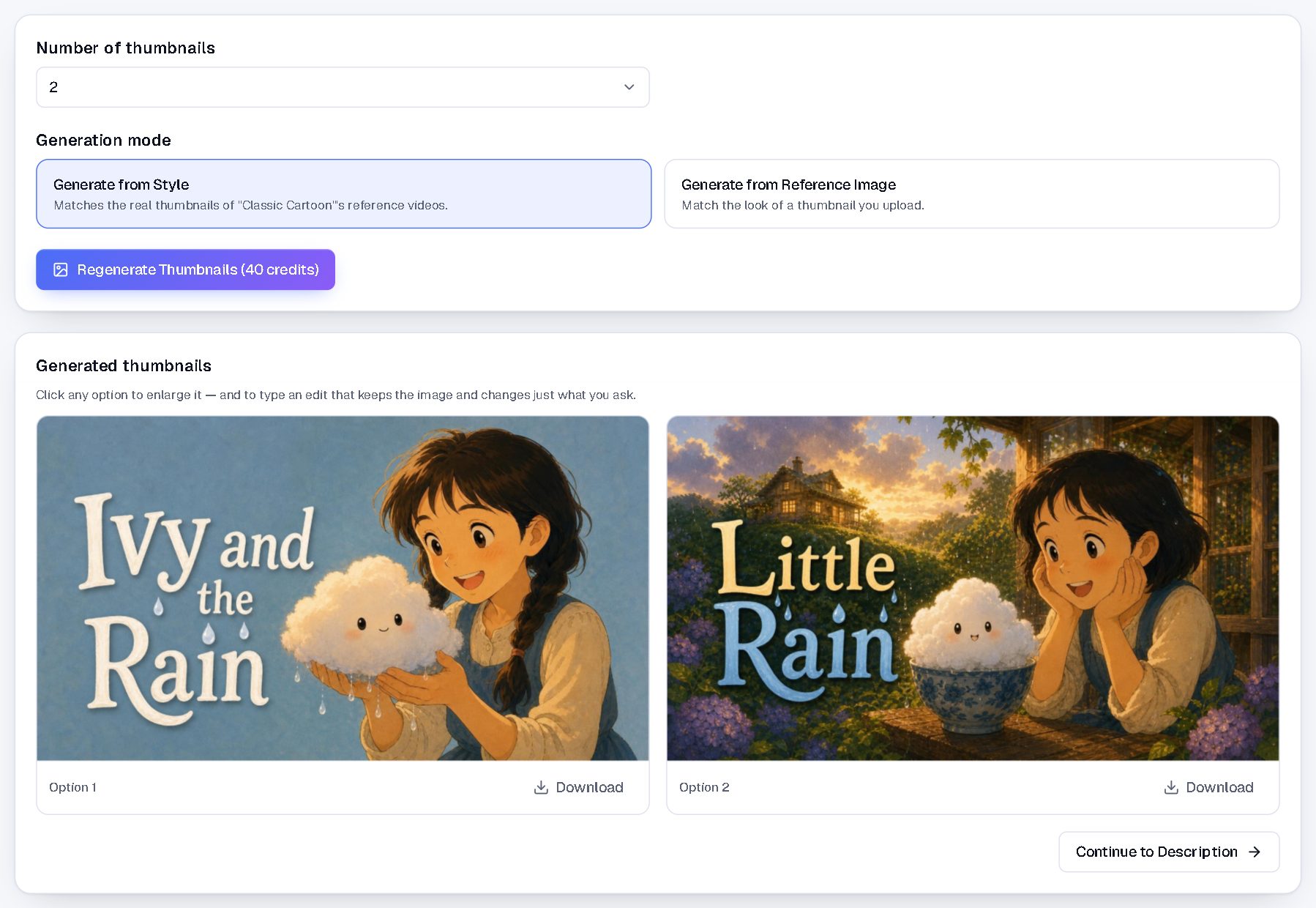
No. It combines official product information with an editorial buying framework. The screenshots are official vendor demonstrations. We are not reporting our own rendered-video quality, speed or sales results.
Will it replace all editing work?
Do not assume that. Evaluate a finished export and allow time for reviewing facts, narration, scenes and pacing. Your quality requirements determine whether further editing is needed.
Ready to evaluate NimbleVid?
If finishing illustrated videos is your main obstacle, a small trial project is a practical next step. Keep your first test focused and compare the result with your existing process. If it meets your quality standard and budget, choose a plan around measured usage.
Check NimbleVid’s starter offer and current plans →
Need a clearer topic or script structure first? Use the AditsBlogs SEO Brief Builder to turn the idea into a focused outline.
Research checked 5 November 2026. Sources: NimbleVid’s official overview, pricing, long-form and generated-visuals pages, plus YouTube Help, linked above. Prices and features can change. Workflow suggestions and calculations are editorial examples.
STAY CONNECTED
More from AditsBlogs, in your inbox
Get occasional updates on new guides, tools, games and creative posts.