Disclosure: this post may contain affiliate links; AditsBlogs may earn a commission at no extra cost to you.
- Why InVideo Stands Out
- Best Features
- Best For
- Biggest Advantage
- Best For
- Weakness
- Best For
- Weakness
- Best For
- Weakness
- Best For
- Weakness
- Choose InVideo If You Want:
- Choose Canva If:
- Choose VEED If:
- Choose Pictory If:
- Choose Synthesia If:
- Start Creating Videos Faster
- FAQs
- Is InVideo better than Canva for video editing?
- What is the best AI video generator for YouTube?
- Can InVideo create faceless YouTube videos?
- Which AI video tool is best for affiliate marketing?
AI video creation is exploding in 2026. From YouTube creators and affiliate marketers to agencies and ecommerce brands, everyone wants faster video production without hiring an expensive editing team.
But with so many tools like InVideo, Canva, VEED, Pictory, Synthesia, and Runway, choosing the right platform becomes confusing.
In this detailed comparison, we’ll break down:
- Features
- Pricing
- Ease of use
- AI capabilities
- Best use cases
- Which platform gives the best value for money
If your goal is creating high-quality videos quickly — especially for YouTube, Instagram Reels, TikTok, affiliate marketing, or business promotion — this guide will help you choose wisely.
Why AI Video Tools Are Becoming Essential
Modern content marketing demands:
- Faster production
- More short-form content
- Multiple platform formats
- AI voiceovers
- Auto subtitles
- Automated editing
According to industry comparisons and creator reviews, AI-powered tools like InVideo, VEED, Pictory, and Synthesia are becoming the preferred workflow for creators and marketers because they reduce production time dramatically. (Zapier)
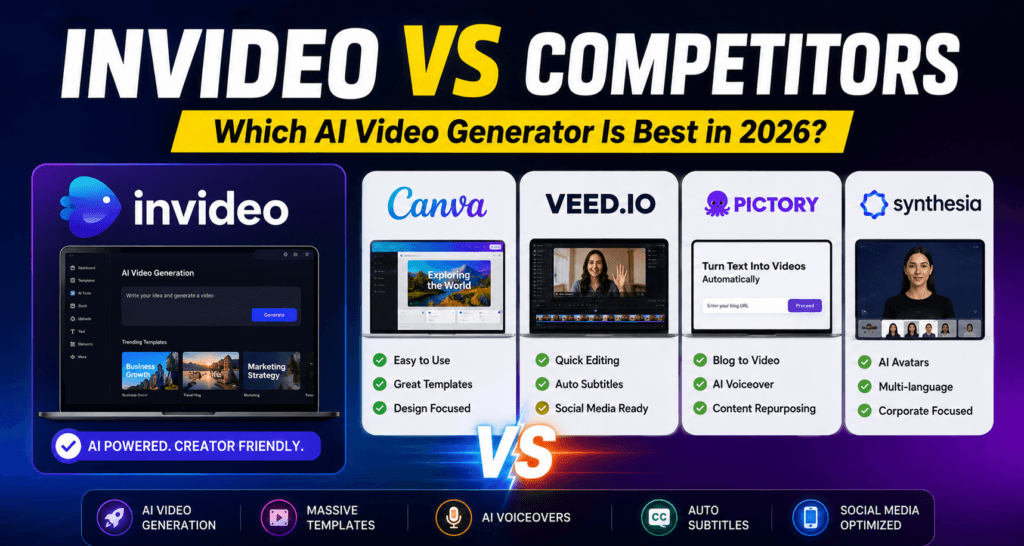
Quick Comparison Table
| Feature | InVideo AI | Canva | VEED.io | Pictory | Synthesia |
|---|---|---|---|---|---|
| AI Text-to-Video | Excellent | Basic | Good | Excellent | Excellent |
| AI Voiceovers | Yes | Limited | Yes | Yes | Advanced |
| AI Avatars | Limited | No | Yes | Limited | Best-in-class |
| Best for YouTube | Excellent | Moderate | Good | Excellent | Moderate |
| Faceless Videos | Excellent | Moderate | Good | Excellent | Weak |
| Ease of Use | Very Easy | Very Easy | Easy | Easy | Easy |
| Templates | Huge Library | Huge Library | Good | Good | Moderate |
| Long-form Video Creation | Excellent | Weak | Moderate | Excellent | Moderate |
| Social Media Shorts | Excellent | Excellent | Excellent | Good | Moderate |
| Pricing Value | Excellent | Affordable | Moderate | Moderate | Expensive |
| Best For | Creators & marketers | Designers | Social media editing | Repurposing content | Corporate training |
1. InVideo AI — Best Overall for Content Creators
Why InVideo Stands Out
InVideo AI has become one of the most popular AI video generators because it combines:
- AI script generation
- AI scene creation
- Stock footage automation
- Voiceovers
- Captions
- Templates
- Social media formatting
…all inside one platform.
Instead of manually editing timelines for hours, you can simply type a prompt like:
“Create a motivational YouTube Shorts video about success.”
And InVideo generates a near-complete video automatically.
That’s why many creators prefer it over traditional editors.
Industry comparisons note that InVideo is especially strong for “idea-to-publish” workflows instead of only editing existing footage. (Invideo)
Best Features
- AI text-to-video
- Massive stock library
- Auto subtitles
- AI voiceovers
- YouTube Shorts support
- Blog-to-video conversion
- Social media optimization
- Beginner-friendly interface
Best For
- YouTubers
- Affiliate marketers
- Faceless YouTube channels
- Instagram Reels creators
- TikTok creators
- Agencies
- Bloggers converting articles into videos
Biggest Advantage
Unlike many competitors, InVideo is built for creators who want speed and scale.
You don’t need professional editing experience.
👉 Try it here:
Start Using InVideo AI
2. Canva — Best for Beginners & Designers
Canva is fantastic for social graphics and lightweight video editing.
It works best for:
- Instagram posts
- Simple reels
- Presentation videos
- Brand graphics
However, Canva’s AI video generation still feels limited compared to InVideo or Pictory.
It lacks:
- Deep AI automation
- Advanced script generation
- Long-form video workflows
Recent pricing comparisons also show Canva is among the cheapest premium tools available. (Arcade)
Best For
- Designers
- Small businesses
- Beginners
- Social media graphics
Weakness
Not ideal for scalable YouTube automation or advanced AI video production.
3. VEED.io — Best for Fast Social Media Editing
VEED.io focuses heavily on:
- Captions
- Quick edits
- Short-form social videos
- AI subtitles
- Voice cloning
VEED is excellent if your workflow starts with recorded footage and you mainly want editing and captions. (Invideo)
Best For
- Podcast clips
- Reels editing
- Social media managers
- Subtitle-heavy content
Weakness
Less powerful than InVideo for fully automated AI-generated videos.
4. Pictory — Best for Turning Blogs Into Videos
Pictory is especially popular among bloggers and affiliate marketers.
Its biggest strength:
- Converting blog posts into videos automatically
Pictory supports:
- AI narration
- Text-to-video
- URL-to-video
- Brand customization
- Multiple aspect ratios
The platform markets itself heavily toward creators and businesses wanting scalable video creation without traditional editing complexity. (Pictory.ai)
Best For
- Bloggers
- SEO marketers
- Affiliate sites
- Repurposing articles into YouTube videos
Weakness
Less flexible creatively than InVideo.
5. Synthesia — Best for AI Avatar Videos
Synthesia dominates the AI avatar space.
It lets you create:
- AI presenters
- Training videos
- Corporate explainers
- Multi-language business videos
Reviews consistently rank Synthesia highly for professional business communication and avatar realism. (Synthesia)
Best For
- Corporate training
- HR onboarding
- SaaS demos
- Business explainers
Weakness
Not ideal for fast YouTube content or viral short-form videos.
Pricing Comparison
| Tool | Starting Price | Value for Creators |
|---|---|---|
| InVideo AI | Competitive | Excellent |
| Canva Pro | Affordable | Great for design |
| VEED.io | Moderate | Good |
| Pictory | Moderate | Good |
| Synthesia | Expensive | Business-focused |
Industry reports note that InVideo and Pictory generally offer stronger creator-focused value compared to enterprise-heavy platforms like Synthesia. (TrueFan)
Which Tool Should You Choose?
Choose InVideo If You Want:
✅ Fast AI video creation
✅ Faceless YouTube videos
✅ Affiliate marketing videos
✅ YouTube Shorts automation
✅ Beginner-friendly workflow
✅ One platform for everything
👉 Recommended choice:
Try InVideo AI Here
Choose Canva If:
- You mainly create graphics
- You need lightweight social videos
- Design matters more than automation
Choose VEED If:
- You edit lots of short clips
- Captions are your priority
- You already record your own footage
Choose Pictory If:
- You run blogs
- You want blog-to-video automation
- You repurpose long-form content
Choose Synthesia If:
- You need AI avatars
- You create business training videos
- You want multilingual corporate content
Final Verdict: Is InVideo Worth It in 2026?
For most creators, marketers, and affiliate bloggers — yes.
InVideo AI offers one of the best balances of:
- AI automation
- Ease of use
- Templates
- Voiceovers
- Video quality
- Speed
- Pricing
While competitors excel in specific niches, InVideo remains one of the strongest all-in-one AI video platforms for creators who want to produce content consistently without a full editing team.
If your goal is:
- Growing a YouTube channel
- Scaling affiliate marketing
- Creating viral shorts
- Publishing videos faster
…InVideo is one of the smartest tools you can invest in today.
Start Creating Videos Faster
👉 Get Started with InVideo AI Today
FAQs
Is InVideo better than Canva for video editing?
Yes, InVideo is generally better for AI-powered video creation, while Canva is stronger for graphic design and simple social media videos.
What is the best AI video generator for YouTube?
InVideo and Pictory are among the best AI video generators for YouTube creators because they support automated text-to-video workflows.
Can InVideo create faceless YouTube videos?
Yes, InVideo is widely used for faceless YouTube channels thanks to its AI voiceovers, stock footage, and automation tools.
Which AI video tool is best for affiliate marketing?
InVideo is one of the best tools for affiliate marketers because it allows fast production of promotional and review videos.