
As an Amazon Associate I earn from qualifying purchases.
If you spend hours at your desk every day, you know that a cluttered, noisy, and bulky setup can completely ruin your workflow. Enter the ultimate aesthetic and functional upgrade: the Logitech Pebble Wireless Keyboard and Mouse Combo.
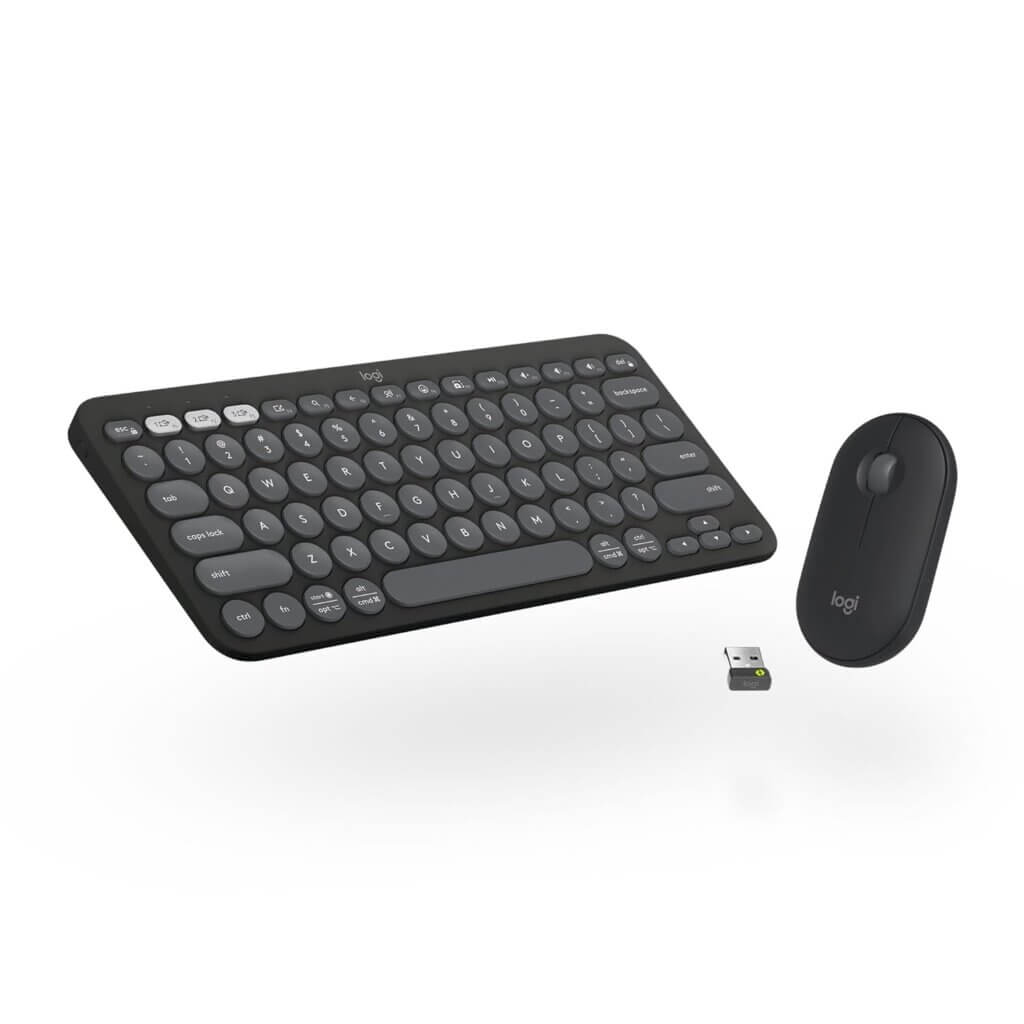
Whether you’re working from home, studying at a cafe, or just want your desk to look genuinely good, this sleek duo is a game-changer. Here is why this combo needs to be your next tech purchase.
1. Aesthetic Minimalist Design Just look at it. The slim profile, the perfectly scooped round keys, and the incredibly sleek mouse make this combo a visual treat. Available in a modern graphite color (and other fun shades), it instantly elevates your desk from “boring cubicle” to “Pinterest-worthy workspace.”
2. Whisper-Quiet Typing & Clicking Tired of annoying your coworkers or your roommates with loud clacking? The Pebble keyboard features low-profile keys that offer a laptop-like typing experience that is incredibly quiet. The Pebble mouse features Logitech’s SilentTouch technology, removing 90% of click noise while keeping that satisfying tactile feel.
3. Seamless Multi-Device Switching This is where the Logitech Pebble combo truly shines. With the Easy-Switch buttons, you can connect to up to three devices via Bluetooth or the included Logi Bolt USB receiver. Switch from typing an email on your Windows laptop to sending a text on your iPad or Mac with the single press of a button.
4. Incredible Battery Life Forget constantly hunting for charging cables. Logitech is famous for its battery management. The keyboard offers up to 36 months of battery life, while the mouse gives you up to 24 months on standard batteries. It’s “set it and forget it” convenience at its finest.
The Verdict: Is it worth it? Absolutely. For the price, you are getting premium design, incredible cross-platform functionality, and silent operation. It’s lightweight enough to throw in your backpack and stylish enough to be the centerpiece of your desk.
(Disclaimer: As an Amazon Associate, I earn from qualifying purchases at no extra cost to you. Thank you for supporting the blog!)
4. Frequently Asked Questions (FAQ)
Q: Is the Logitech Pebble Combo compatible with Mac and Windows? A: Yes! It is fully compatible with Windows, macOS, iPadOS, ChromeOS, and Android. The keyboard even features dual-printed keys to accommodate both Mac and Windows layouts.
Q: Does it connect via Bluetooth or a USB dongle? A: Both! The combo allows you to connect seamlessly via Bluetooth or by using the included ultra-secure Logi Bolt USB receiver (pictured next to the mouse in the image).
Q: How do you switch between devices? A: The keyboard has dedicated “Easy-Switch” keys (labeled 1, 2, and 3). Just pair your devices once, and tap the corresponding button to instantly switch your typing from your laptop to your tablet or phone.