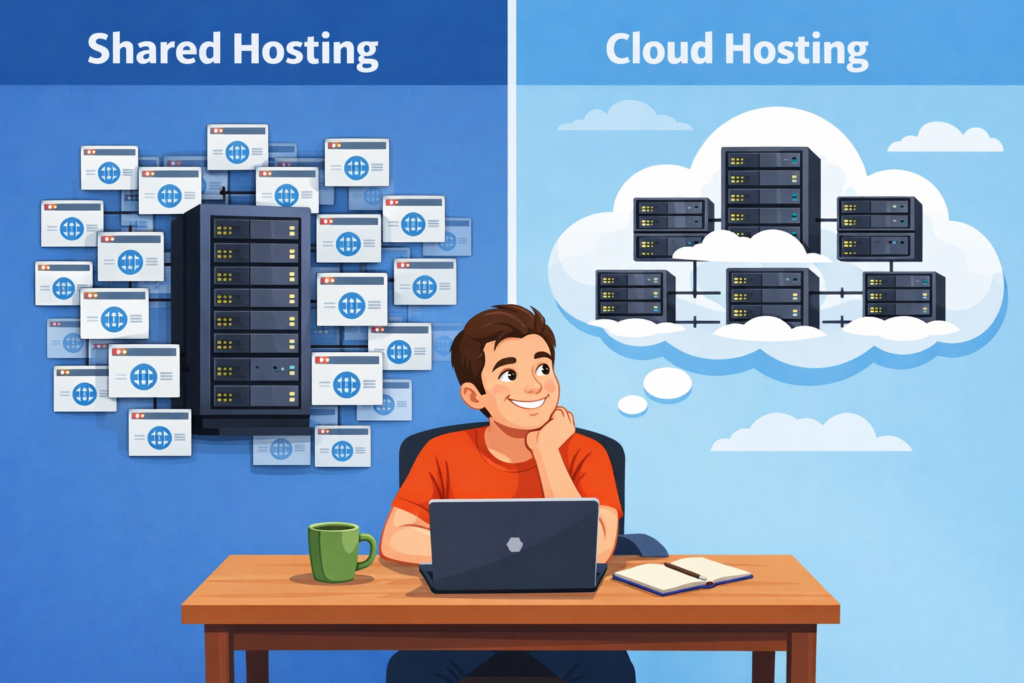
Starting a blog is exciting… until you hit that first confusing tech choice: should you go for shared hosting or cloud hosting? For a new blogger, this decision affects how fast your site loads, how stable it feels, and even how much money you end up making from your content.
Shared hosting is usually the cheapest and simplest option, while cloud hosting is more powerful, scalable, and reliable — but also more expensive and sometimes more technical. Let’s break it down in plain English so you know exactly which one makes sense for you right now.
The Real Problem New Bloggers Face
Most beginners just pick the cheapest hosting plan they see in an ad, click “buy,” and hope for the best. A few months later they’re stuck with:
- Slow-loading pages during peak times
- Random “500 error” or timeouts
- A host telling them to “upgrade” when traffic finally spikes
The root problem is simple: shared hosting and cloud hosting are built for different levels of traffic and growth. Shared hosting puts your blog on a single server with many other sites; if any of them hog resources, your performance suffers. Cloud hosting spreads your site across a cluster of servers, so it handles spikes and failures much better.
If you get this wrong, you risk poor user experience, lower Google rankings, and lost subscribers — all before your blog really gets going.
The Promise: A Clear, Beginner‑Friendly Hosting Decision
You don’t need to be “techy” to choose the right hosting. Once you understand:
- What shared hosting actually is
- What cloud hosting does differently
- When each one makes the most sense
…you can confidently pick an option that fits your stage, budget, and growth plans — and know exactly when it’s time to upgrade.
We’ll use real industry stats (like shared hosting still holding around 37–38% of market share) and page-speed research showing how a 1‑second delay can cut conversions by about 7%. That way, your decision is data-backed, not guesswork.
What Is Shared Hosting?
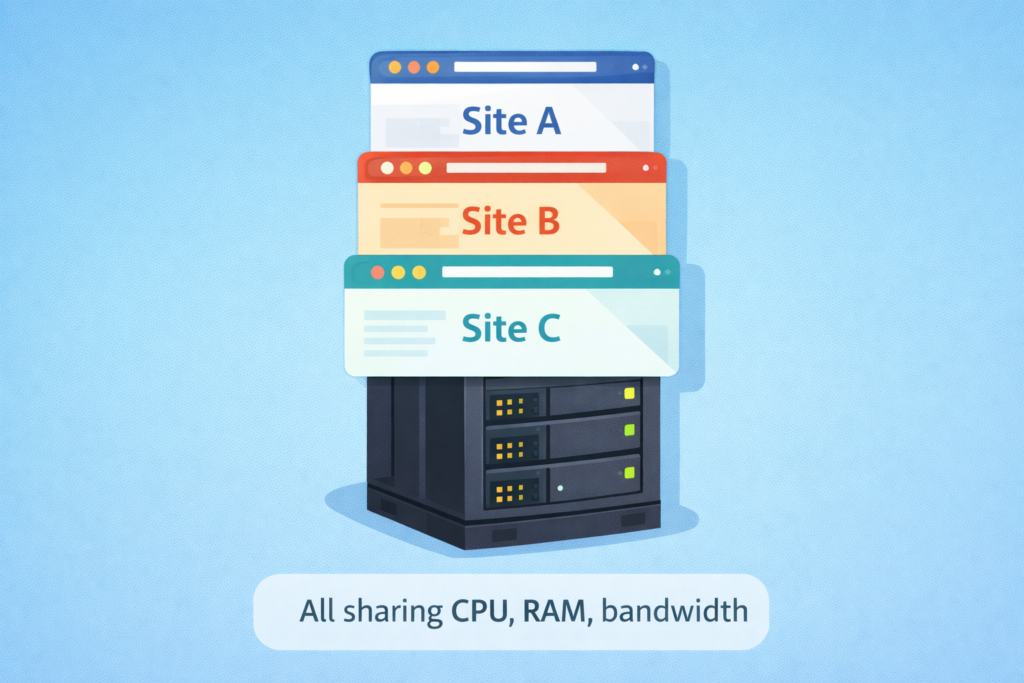
Shared hosting is like renting a bed in a hostel: many websites live on the same physical server and share the same CPU, RAM, and bandwidth. Because costs are shared between many users, it’s extremely affordable — which is why it’s still the default choice for brand‑new blogs, small sites, and portfolio pages.
Why shared hosting works well for beginners:
- Very low cost, perfect if you’re testing blogging as a side project
- One‑click WordPress installs and simple dashboards
- No server maintenance — the host handles security patches and updates
- Enough performance for a few hundred or a few thousand visits per month
Where shared hosting can hurt you:
- Performance depends on “neighbors” — if another site on your server gets a traffic spike, your blog may slow down
- Limited scalability — upgrading often means migrating to a different plan or environment
- Basic security and less isolation compared with cloud infrastructure
Plain‑language takeaway: shared hosting is ideal when you’re just starting, have low traffic, and want the cheapest, least‑complicated option.
What Is Cloud Hosting?
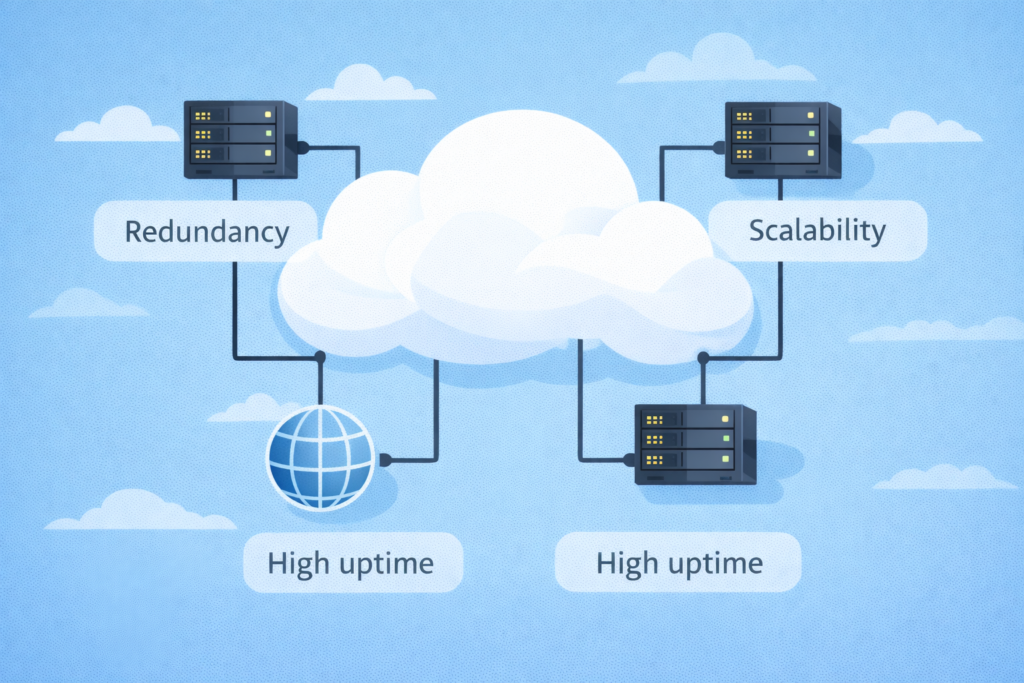
Cloud hosting is more like staying in a network of connected apartments: your site runs on a cluster of servers instead of just one physical machine. If one server has issues, others in the cluster take over, so your site stays online and responsive.
Why cloud hosting is powerful:
- High uptime and reliability thanks to redundancy across servers
- Better performance during traffic spikes (viral posts, campaigns, seasonal peaks)
- Easy scalability — you can add more resources as your blog grows without a full migration
- Stronger isolation and security options compared with basic shared setups
Downsides for a brand‑new blogger:
- Higher monthly cost than entry‑level shared hosting
- Unmanaged cloud can be technical; managed cloud is easier but more expensive
Plain‑language takeaway: cloud hosting is best once you already have consistent traffic, a clear monetization plan, or an existing audience (e.g., from YouTube or Instagram) that could hit your blog hard from day one.
Shared vs Cloud Hosting
Here’s a quick comparison focused on what actually matters for a new blogger:
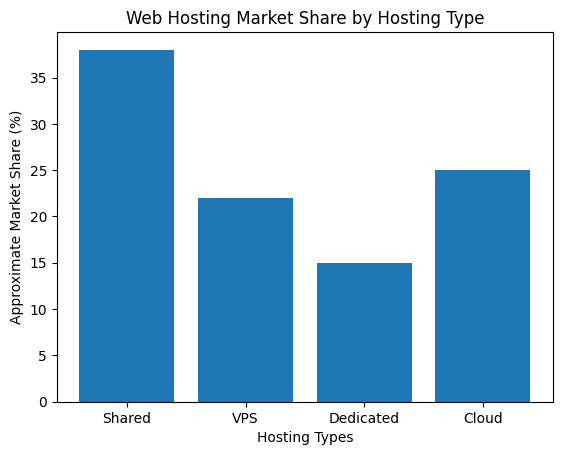
Hosting Market Share
Recent industry reports show that shared hosting still holds roughly 37–38% of the global hosting market, with projections that it will reach over 100 billion in value by 2030 as small businesses and beginners continue to choose it.
Page Speed vs Conversions
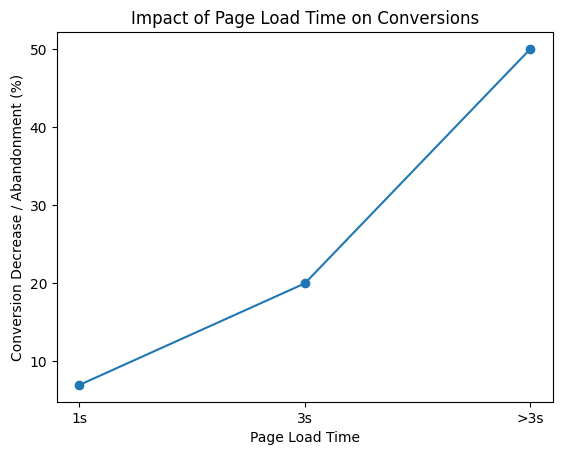
Page speed is where hosting directly affects money. Studies show that a 1‑second delay in page load can cut conversions by around 7%, and going beyond 3 seconds can cause over half of mobile users to abandon the page.
What Should a New Blogger Choose?
Here’s a simple rule of thumb you can follow today:
- Pick shared hosting if you’re starting from zero, have no or small audience, and expect low traffic for at least the first 6–12 months. It keeps costs low while you validate your niche, learn SEO, and build your content library.
- Pick cloud hosting if you’re launching with an existing audience (e.g., a YouTube channel, email list, or large Instagram following) or plan to run ads and campaigns that could cause sudden traffic spikes.
Shared hosting is still the main entry point for small projects, dominating around one‑third of the hosting market, while cloud hosting is rapidly growing as more serious businesses move to scalable infrastructure.
2 Phase Hosting Plan for New Bloggers
Phase 1 – Start lean on shared hosting
- Choose a reliable shared host with good uptime and SSD storage (for example, Hostinger’s beginner plans).
- Install WordPress with one click and use a light, fast theme.
- Design your pages with a drag‑and‑drop builder like Elementor if you want more control without coding.
- Start an email list from day one using Moosend or Systeme.io so you’re not only relying on Google traffic.
- Use basic caching and image compression so your shared plan feels as fast as possible.
Phase 2 – Upgrade to cloud hosting when you outgrow it
Move to managed cloud hosting when:
- You consistently get 20,000–50,000+ visits per month.
- Your site slows down during campaigns, launches, or viral posts.
- You rely heavily on your blog for income (ads, products, services) and can’t afford outages.
At that point, the higher cost of cloud hosting is justified by better stability, speed, and conversion rates.
FAQ
How long does it take to set up hosting?
Most shared or managed cloud hosting plans can be set up in 15–45 minutes with built‑in WordPress installers and simple wizards. You don’t need advanced technical skills to get a basic blog running.
Is cloud hosting “too advanced” for beginners?
Unmanaged cloud hosting can be complex, but many providers now offer managed cloud with dashboards that feel similar to shared hosting. If you’re comfortable using WordPress and cPanels, you can usually handle managed cloud too.
Will shared hosting hurt my SEO?
Shared hosting itself doesn’t hurt SEO; overloaded, slow servers do. If your shared host offers decent speed and uptime, you’ll be fine in the early stages. Later, when traffic grows, upgrading to cloud can protect your rankings by improving speed and stability.
Who is shared hosting a good fit for?
It’s the best fit if you’re starting your first blog, don’t expect immediate high traffic, and need the most affordable way to get online. Think: personal blogs, small niche sites, portfolios, or early‑stage affiliate blogs.
Who is cloud hosting a good fit for?
Choose cloud hosting if you’re building a brand, running serious email funnels or ad campaigns, or already have an audience you’re directing to your blog and can’t risk constant slowdowns or downtime.